
I recently had the chance to interview the creator of Delta Lake to discuss the declarative approach. Enjoy the interview
Databricks shipped the following major GA launches in October 2026:
Lakeflow Pipelines & Real-Time Streaming: Lakeflow now offers ultra-low-latency Real-Time Mode with continuous triggers, on-demand state repartitioning without checkpoint state loss, asynchronous state processing with
transformWithState, automated Genie Code tasks, key-value SQL parameterization, and dedicated operational system tables (pipelinesandpipelines_update_timeline).Unity Catalog & Open Data Governance: Cross-engine Attribute-Based Access Control (ABAC) with row filters and column masks for external compute engines, native ACID transactions for both managed Delta Lake and Apache Iceberg tables, automated Data Classification API (adding 50 classes across 16 countries), in-workspace Volume file editing, and self-service object access requests.
Serverless Compute & Platform Networking: Inbound connectivity is strengthened with context-based ingress policies linking VPC endpoints to identity rules, private connectivity from Serverless Compute to AWS resources, default session-level DataFrame caching (
df.cache()/df.persist()), and Unity Catalog permission governance on thesystem.aischema.Operational Databases & BI Connectivity: Lakebase introduces point-in-time snapshot and automated backup schedule APIs with logical Postgres replication support, alongside an official ADBC driver for high-throughput Power BI connectivity.
🛠️Data Engineering
Databricks Lakeflow Improvements
Real-time streaming and state management
Asynchronous processing with transformationWithState is GA.
Run multiple real-time mode flows in one pipeline without the flows competing for task slots. Source stage adaptive repartitioning automatically adjusts the number of tasks that read from each Kafka or Kinesis source to match its traffic, so you don’t need to set
maxPartitionsorshardsPerTask.Real Time Mode in Lakeflow Pipelines is GA. RTM enables ultra low latency data processing and is specialized types of continuous trigger.
On-demand state repartitioning is GA. Resize the number of shuffle partitions for stateful Structured Streaming query or Lakeflow pipelines without loosing checkpoint state.
Orchestration
Combine multiple triggers type up to five and add multiple triggers of the same type and pause each trigger independently.
Genie Code Tasks in Lakeflow are GA. You can use a Genie Code task when you want to automate complex analysis, data operations, or decision-making as part of a scheduled job.
Pipeline Configuration
Parameters for lakeflow Pipelines are GA. Parametrize SQL source code with key value pairs allowing a single pipeline to run across many different catalogs, schemas and table without altering the code.
Set the pipeline’s run as identity to an account group so a team can own a pipeline without tying it to one person’s account.
Observability, auditing and CDC tracking
Saving a job without changing its settings no longer adds rows to
system.lakeflow.jobsorsystem.lakeflow.job_tasks, andchange_timestays at the last change.Lakeflow System tables pipelines and pipelines_update_timeline are GA.
The new Data freshness column in the pipeline tables list tracks the elapsed time since the latest ingested source commit for each CDC table.
It provides instant visibility into replication lag across your active ingestion pipelines. This feature supports SQL Server, PostgreSQL, MySQL, and Oracle sources.
Key Takeaway: Lakeflow now delivers GA support for ultra-low-latency Real-Time Mode, state repartitioning without checkpoint loss, asynchronous processing, SQL parameterization, and Genie Code tasks. Operational control is upgraded with group-based ownership, independent multi-triggers, dedicated system tables, and real-time CDC freshness tracking across major relational databases.
New Lakeflow Connectors are available
🗄️Lakebase Postgres and Apps
Lakebase updates
Lakebase snapshots API and backup schedule API are GA. Use the snapshots API to create, get, list, and delete point-in-time snapshots and restore a snapshot by creating a new branch from it.
Lakebase Insights now diagnoses issues using telemetry from the
system.lakebasesystem tables and recommends next steps. The Lakebase Insights workspace preview enables automatic telemetry capture. Users with CAN MANAGE can configure Insights directly in each project’s Settings, without creating an observability configuration.Use native Postgres logical replication to stream changes into and out of Lakebase. Migrate an existing Postgres database into Lakebase and keep it in sync until you cut over or publish changes from Lakebase to external Postgres databases.
Databricks Apps updates
Workspace Admins could configure default Python and npm packages and repositories for Databricks Apps but they can be overrides at the App level.
🏢Data Warehousing
Schedule automatic refreshes of data imported into Microsoft Excel by choosing the interval or calendar schedule.
ADBC driver for Power BI is GA.
🤖Databricks GenAI & Machine Learning Capabilities
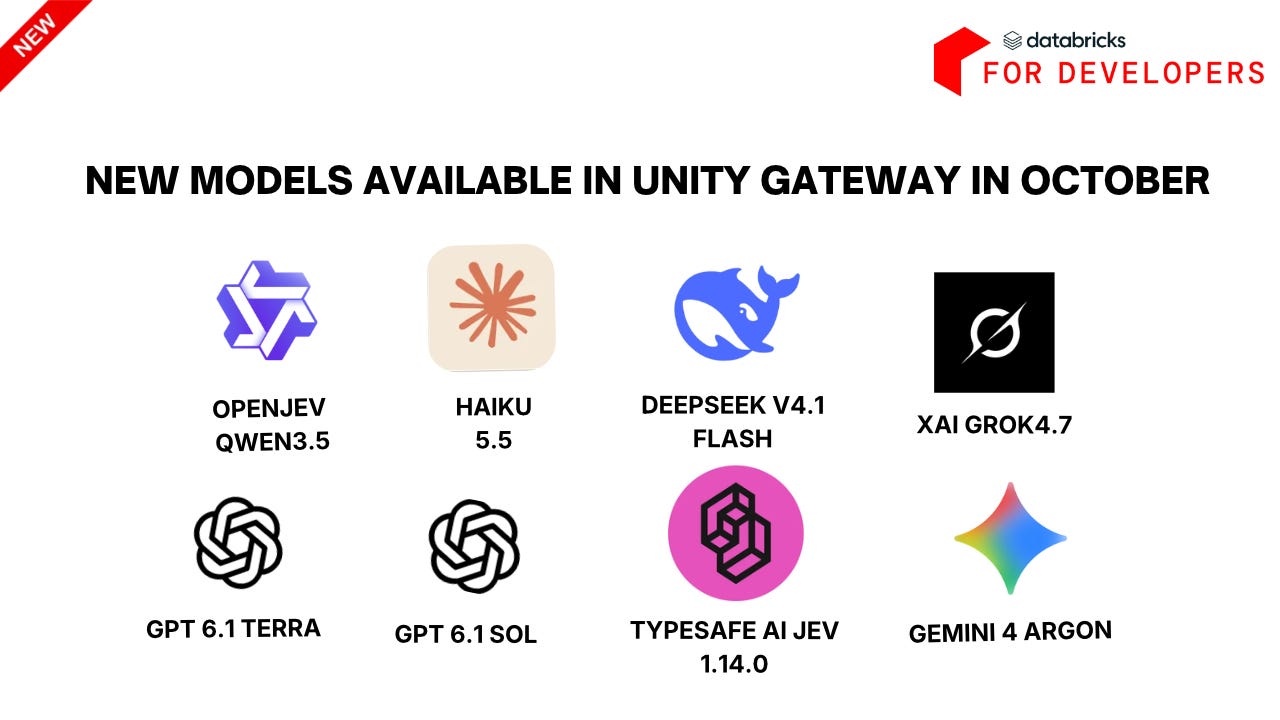
Databricks has released major updates to its AI ecosystem, highlighting the GA of Unity Gateway APIs, new governance and tracing features for AI coding agents and enhanced capabilities in ai_search and document processing.
Unity Gateway Updates
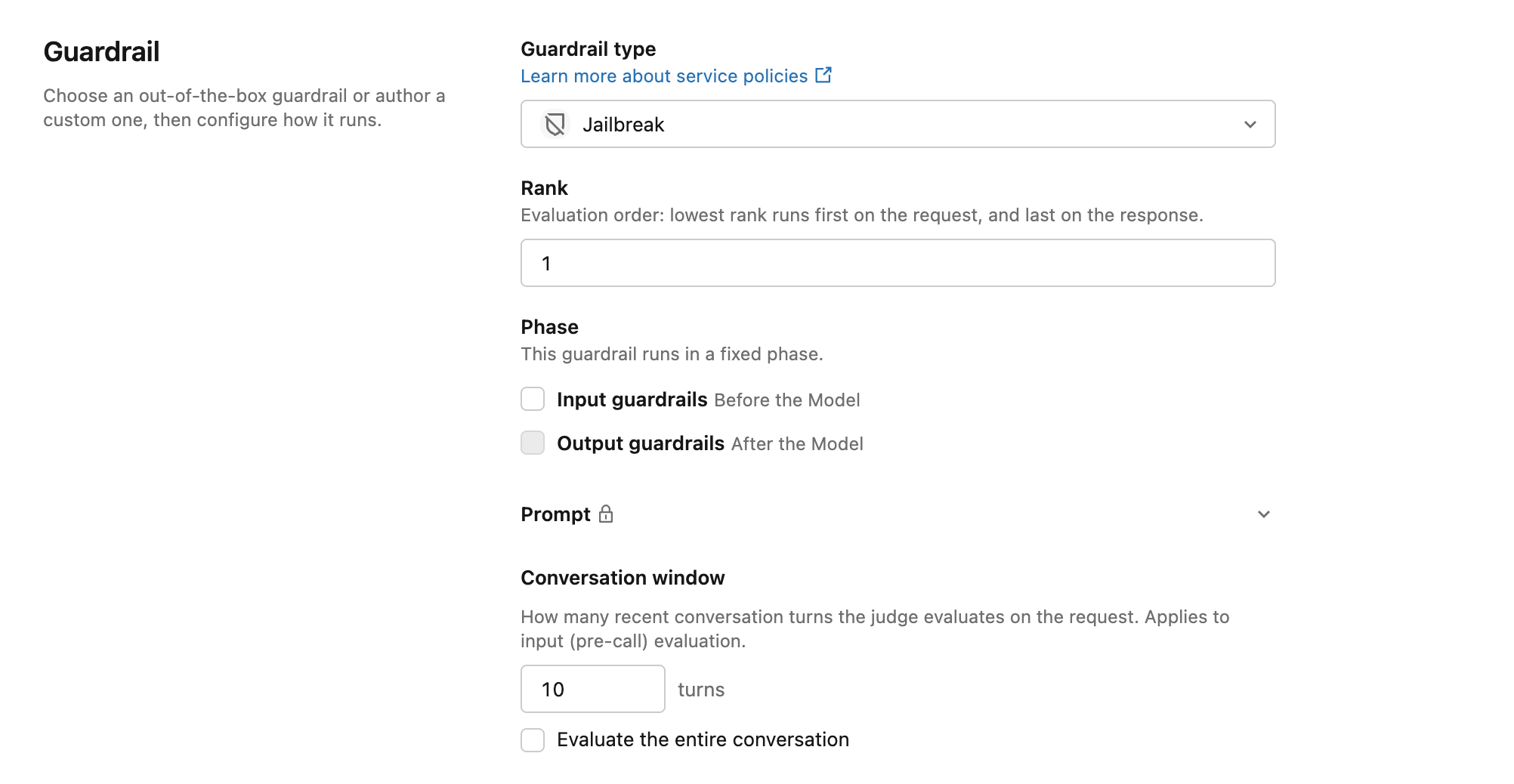
Enforce third party guardrails on Unity Gateway Traffic. The external service policy sends requests and responses content to your guardrail vendor and blocks the call when the vendor denies it.
Claude Code auto mode for Anthropic and non anthropic models support the auto mode reviews to reduce routine permissions.
ug claude -- --permission-mode auto
Amazon Bedrock Mantle are available through Unity Gateway with the permissions, rate limits, budgets and inference tables.
Custom Policies verify caller supplied request tags before a model request or MCP toll call proceeds.
Skills API are beta with the possibility to create, read, list, delete and finalize support across Databricks Developer Tools (Cli, Python, Go; Java and JS SDK).
Users with Consumer Access entitlement can query model services and model provider services shared with them or to use Unity Gateway coding agents features.
Unity Gateway usage Dashboard is available. Exploring the usage, coding agent adoption, harness usage and estimated session spend become easy.
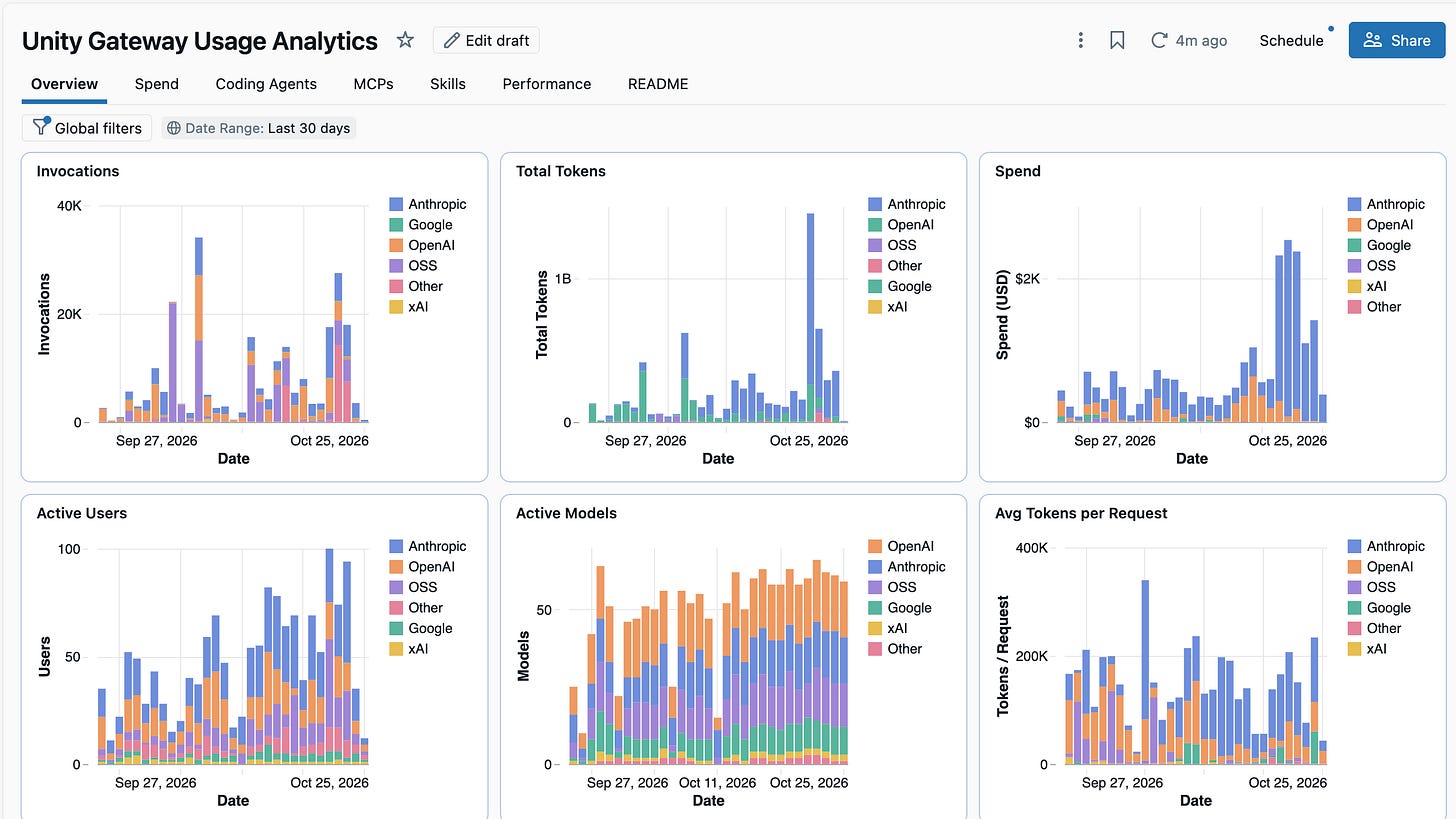
Harnesses can connect to Databricks MCP Servers using default OAuth Client IDs.
Tracking Skill usage become easy with Audit Logs under the aiGatewaySkills services-.
Developers can screen tools call and their results in Unity Gateway for jailbreak and prompt injection attempts.
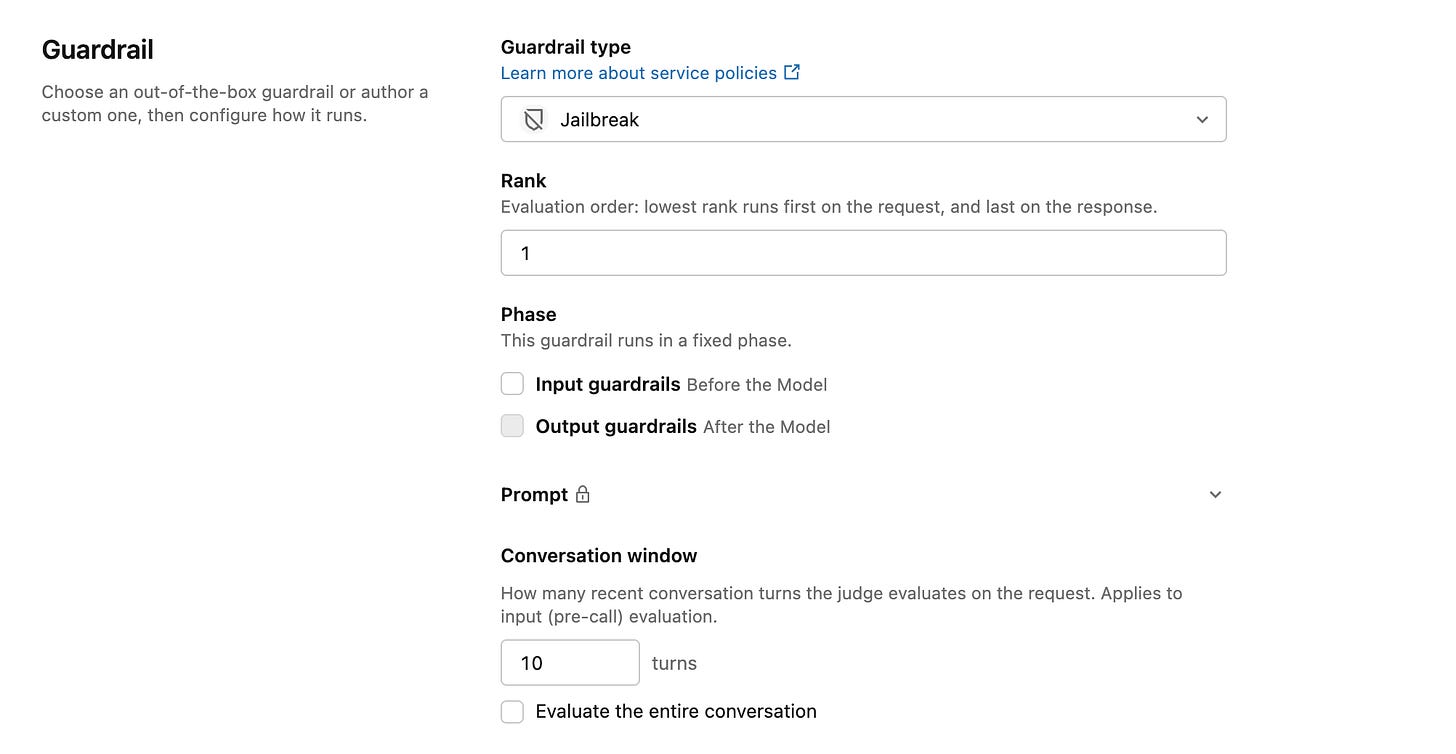
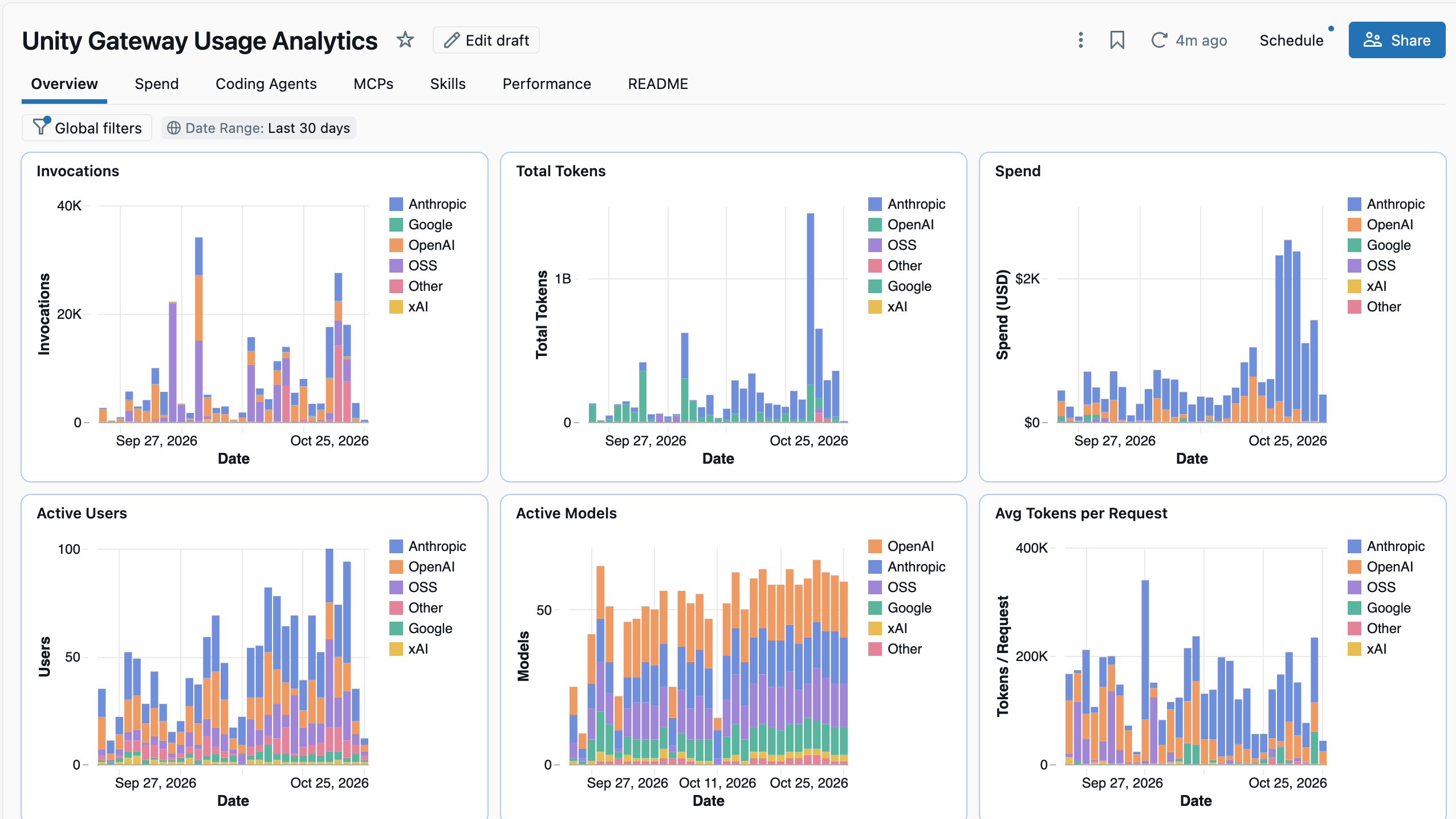
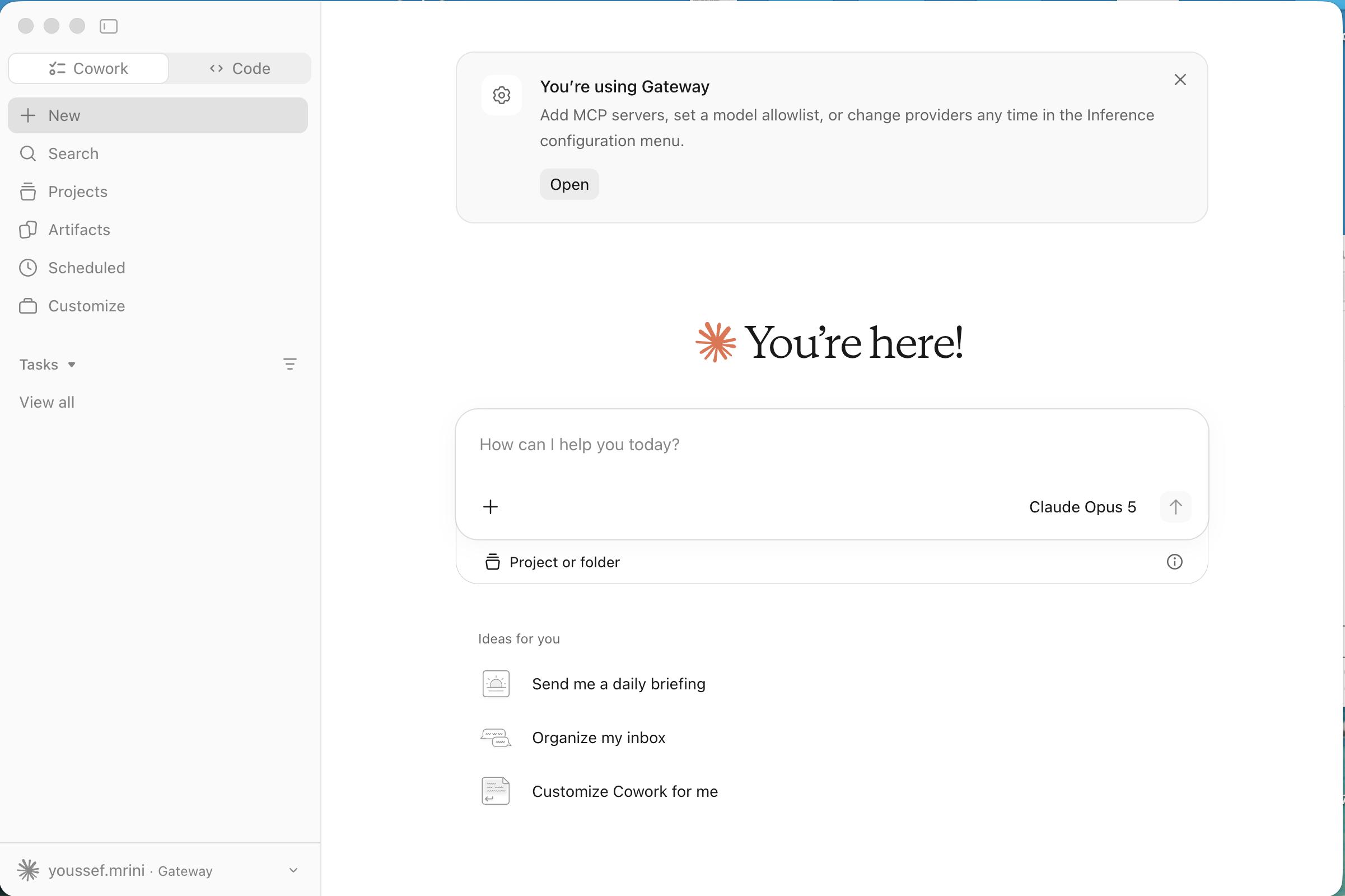
You can use ug to configure Claude Desktop and Chatgpt Desktop work agents with governed models, MCP and skills.
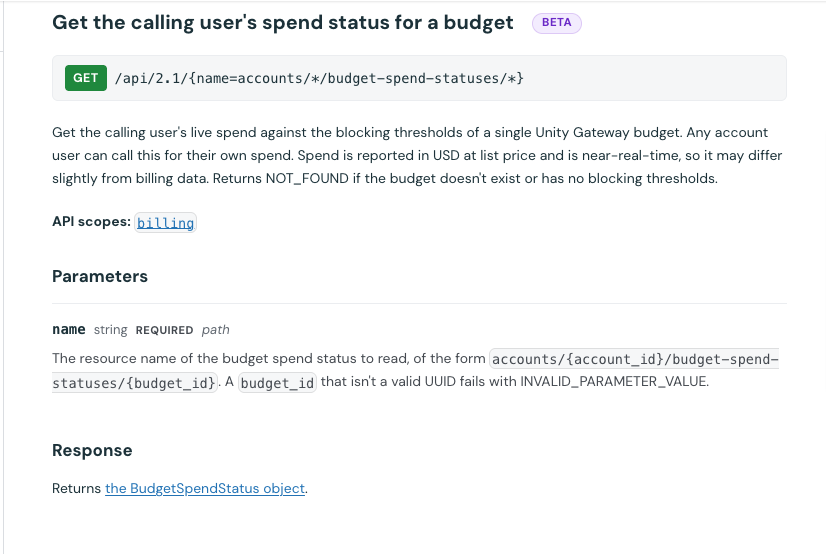
Get the spend status to track the budget against Unity Gateway budget limit and use
ug usageto show up to 5 personal and shared spent limits.
End-to-End Agent Scaffolding: A new developer CLI for building, testing, and deploying custom code agents.
Integrated Agent Runtime: Scaffold projects from standard templates, test locally, and deploy to the Databricks Agent Runtime with managed memory, sessions, tools, and MLflow tracing pre-configured.
Memory pipelines bridges raw session and long term memory. At each run an LLM analyzes stored chat histories to extract facts, user preferences and key decisions indexing them into a retrievable memory entries for future sessions. The pipeline can run as a scheduled Background job or executed on Demand
Key Takeaway: Full-lifecycle developer tooling, managed runtime, and automated long-term memory for Databricks agents.
AI functions enhancements
AI functions Unity Catalog permissions are GA. Admin can setup the permissions on system.ai schema to controls which tasks can users uses.
Standard AI_EXTRACT are faster while improving the overall quality without additional cost.
AI_PARSE_DOCUMENT return detailed figures and for the charts, the description, series, legends and axes are structured as JSON.
AI_ENRICH is beta can ground each row with a search tool on an external Model Context Protocol (MCP) server that you register in Unity Gateway, such as You.com or Exa.
Mlflow enhancements
Select OpenJev (Qwen3.5 4B) as the evaluator model service of a custom LLM as judge service policy
Mlflow logs tab for AI runtime has been redesigned. It does support searching and filtering logs by node and time range following a running workload as new output arrives and downloading logs.
🖥️ Databricks Workspace Platform and Compute
Context-based ingress policies for inbound connectivity are GA. Control which registered VPC endpoints can reach the workspace and combine endpoint rules with identity and request type conditions in the same Policy.
Private Connectivity from Serverless Compute to AWS resources is GA.
Add a custom identity claim to a service principal's OAuth token and filter rows by it in a dynamic view or ABAC policy. Serve many end users through one service principal while each sees only their own data.
Serverless notebook and script tasks can use a root
pyproject.tomlto define unified runtime environments across the Jobs UI, Jobs API, or bundles. With Shared Serverless, files in the same bundle can also share this compute pool, which workspace admins can enable under Project-Scoped Shared Compute on the Previews page.Stop recomputing expensive queries on serverless compute: call
df.cache()ordf.persist()to retain intermediate DataFrames for the rest of your session. This capability is enabled by default as long as you are running serverless runtime environment v5+ or Databricks Connect 18.1+.Admins can deliver Serverless Job application logs to Unity Catalog volume for retention and analysis.
Key Takeaway: Databricks strengthens enterprise serverless adoption with private networking, context-based access policies, DataFrame caching, shared project environments, and centralized logging.
🛡️Unity Catalog and OpenSharing
OpenSharing updates
Create Cleanrooms with Identity resolution providers in one step , JAR Workloads and Shared Output are GA.
Attribute-Based Access Control updates
Databricks has introduced major enhancements to Attribute-Based Access Control (ABAC)
Cross engine ABAC is GA. It does external engines to read Unity Catalog tables with fine grained access controls. It includes both ABAC policies and standalone row filters and column masks
Apply attribute-based access control (ABAC) row filters and column masks to views, materialized views and streaming tables shared through OpenSharing.
Other updates
Tag propagation is Beta. Once it’s enabled , Unity catalog leverage lineage to propagate the tags to the derived tables and views in order to keep classification and ABAC enforcement.
External engines can query views over Delta Lake Tables through the Unity Rest API and can write to managed Delta Tables from external Apache Spark Clients.
Transactions are GA support Both managed Delta Lake and Apache Iceberg Tables
Editing files in Unity Catalog Volumes is GA. Using the workspace file editor without downloading and uploading them again.
Request access is GA. Users can request privileges on Unity Catalog objects in Databricks and track the request status.
Data Classification API is GA. 50 new classes and support for 16 more countires and regions. It does include payment card and financial data, personal and employee data, software security secrets and regional identifiers.
Files API 3.0 is Beta, introduces multipart uploads especially for files larger than 5GB and conditional operations to update, delete and download files based on their current version.
Discover Page and Domains are GA. Discover Page let you curate and discover the assets that you own to improve the browsing experience.

Key Takeaway: Databricks extends Unity Catalog governance across the open data ecosystem by delivering cross-engine ABAC enforcement, lineage-based tag propagation, multi-format transaction support, and upgraded volume file management APIs.
Genie Agents
Databricks has introduced significant feature upgrades to Genie Agents, enhancing execution speed with Flash mode, expanding external tool actions via MCP, automating volume knowledge search, and introducing granular budget access controls.
Agent Models and performance
Flash (Beta): Prioritize rapid execution speed over analytical depth for routine everyday tasks.
Agent mode model upgrade: Agent mode now uses upgraded models that better handle long context and respond faster.
Integrations and external tools
Connect to external tools (Beta): A Genie Agent can search and take actions in external tools like Google Drive through MCP connectors.
Volumes and content search
Faster file retrieval (Beta): Content search parses and indexes your files so the Genie Agent can reason over a larger set of files, draw on specific passages across many files, and answer questions with lower latency.
Content search details hidden from viewers (Beta): The context panel no longer shows technical content search details, such as the number of files indexed, to users with CAN VIEW or CAN RUN permission on a Genie Agent.
Automated Content Search and Volume Sync (Beta): When you attach a volume to a gent agent, Databricks automatically enables content search and keeps the index continuously updated as files are added or removed without inquiring any manual intervention.
Volumes from restricted catalogs (Beta): You can attach a volume as a source for a Genie Agent even when the volume’s catalog isn’t accessible from the agent’s workspace by default
Authoring and Embedding
Guided agent creation: A new guided experience walks you through creating an effective Genie Agent using Genie Code. It reads your data and suggests context that helps Genie answer questions accurately, such as descriptions of your tables and example queries.
Deletion warning for sources and instructions: Deleting sources or instructions from a Genie Agent requires explicit permission.
Volume file links in embedded agents: Links to volume files in an embedded Genie Agent open the file instead of redirecting users to the workspace.
Governance and budget
Budgets used to manage Genie costs support access control lists (ACLs): Account admins and workspace admins can grant the Budget Manager or Budget Viewer role to specific users, groups, or Databricks service principals, delegating who can view and manage each budget.
Key takeway: Databricks accelerates Genie Agents with the high-speed Flash model, external MCP tool integrations, automated volume content search, guided authoring, and granular budget governance.
Genie One
Databricks has introduced significant feature upgrades to Genie One, enhancing its conversational user experience, secure code execution capabilities, governed skill sharing and collaborative team access.
Chat and User experience
Conversation outline: Navigate lengthy threads using the new left edge outline hover over outline markers to instantly preview a message and the start of its response.
Reuse context from past investigations: Genie One can use the context from the earlier investigation to answer faster when you ask a question similar to one you asked before.
Streaming responses: The answers streams progressively in real time rather than loading in a single batch
Download a chat: You can export and download Genie One conversation transcripts in the side bar.
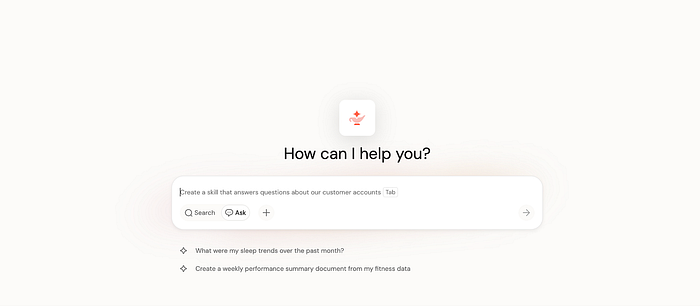
Personalized sample questions: Tailored questions appear beneath the search bar on the Genie One homepage.
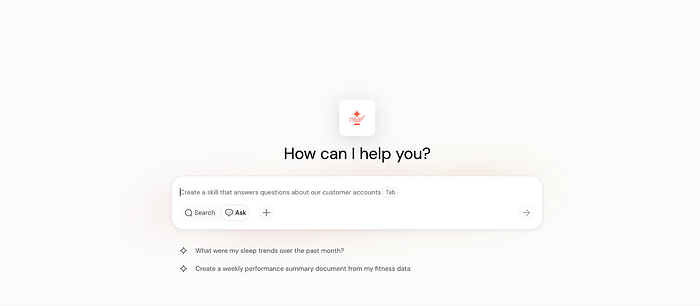
Skills and extensibility
Upload skills (Public Preview): Directly upload existing skills files and folders to your skills folder in the workspace.
Share skills with Unity Gateway (Beta): Publish and govern Genie One skills via Unity Catalog schema and share them with your team.
Data processing, files and executions
Snippets from external tool queries (Public Preview): Genie Ontology can extract snippets from queries that external tools, such as dbt run on Databricks.
Code execution in Genie One: Genie One can perform advanced analysis beyond standard SQL by executing code in a secure, isolated sandbox and operating entirely within your existing Unity Catalog data access control.
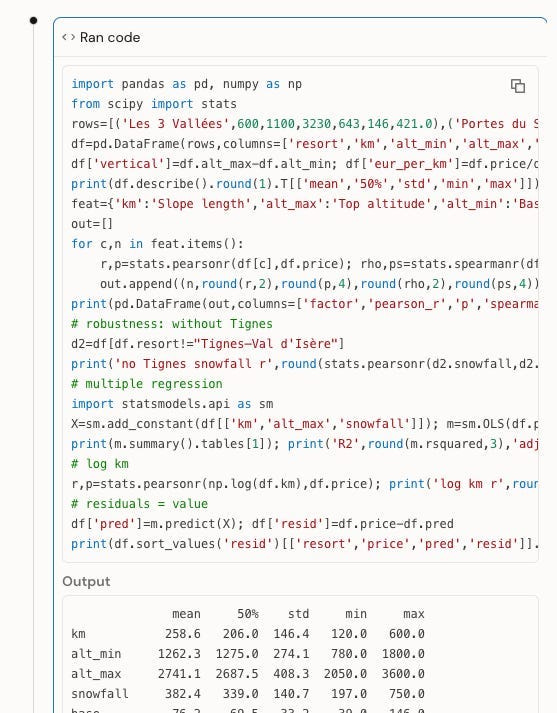
Upload and analyze supported file types in natural language across Genie One and Agents Upload a file and Upload a file to a Genie Agent.
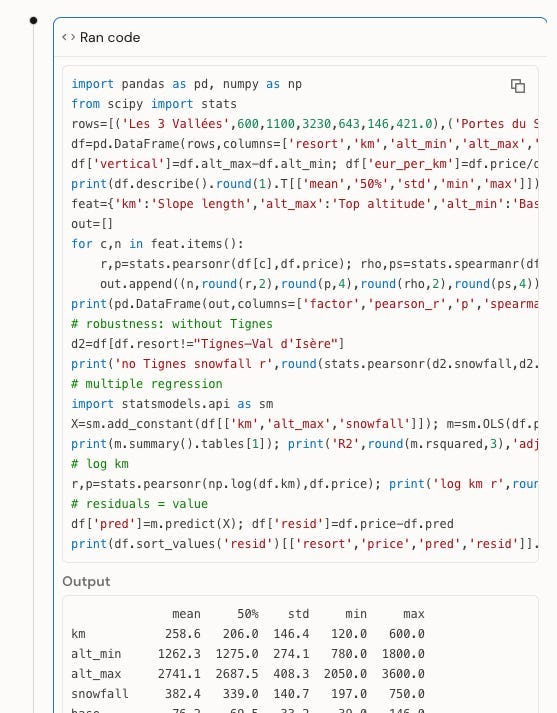
Collaboration, governance and Access
Collaborative document editing: People you share a Genie One document with can now edit it if they have CAN EDIT permission.
Group memberships in user info: When Genie One retrieves a user’s information, it also returns the user’s group memberships. You can use workspace instructions and table descriptions to tailor how Genie One responds to members of specific groups.
Remembered sign-in email in the Genie mobile app (Public Preview): The Genie mobile app remembers the email address of the last user who signed in and prefills it at the next sign-in.
Key Takeaway: Databricks transforms Genie One into an interactive, collaborative analytics workspace with real-time streaming, isolated sandbox code execution, Unity Gateway-governed skill sharing, and group-aware team access controls
AIBI Dashboard
October 2026 release brings extensive additions to Databricks AI/BI Dashboards, expanding layout controls, visualization formatting, BI migration capabilities via Genie Code, and interactive filtering options.
AIBI, Genie and BI Migration
Bulk import from Power BI and Tableau: Accelerate legacy BI modernization by batch converting up to 100 Power BI or Tableau workbooks to native AIBI Dashboards, Metric Views eliminating manual reconstruction across large datasets.
Import Power BI .tmdl files: Authors can upload Power BI .tmdl files to create metric views with the /importBI Genie Code skill.
Genie Code for dashboard authoring:
Genie Code can use images stored in your workspace as image widgets, not only uploaded files.
The dashboard canvas stays visible while Genie Code builds datasets step by step, so you can watch widgets appear instead of seeing a blank screen.
Genie Code can create dashboard materializations when you ask it to
Data Modeling and Datasets
Materialize SQL datasets (Beta): Drastically reduce dashboard load times and save compute resources by precomputing results for raw SQL datasets alongside local metric views bypassing repetitive and heavy query execution.
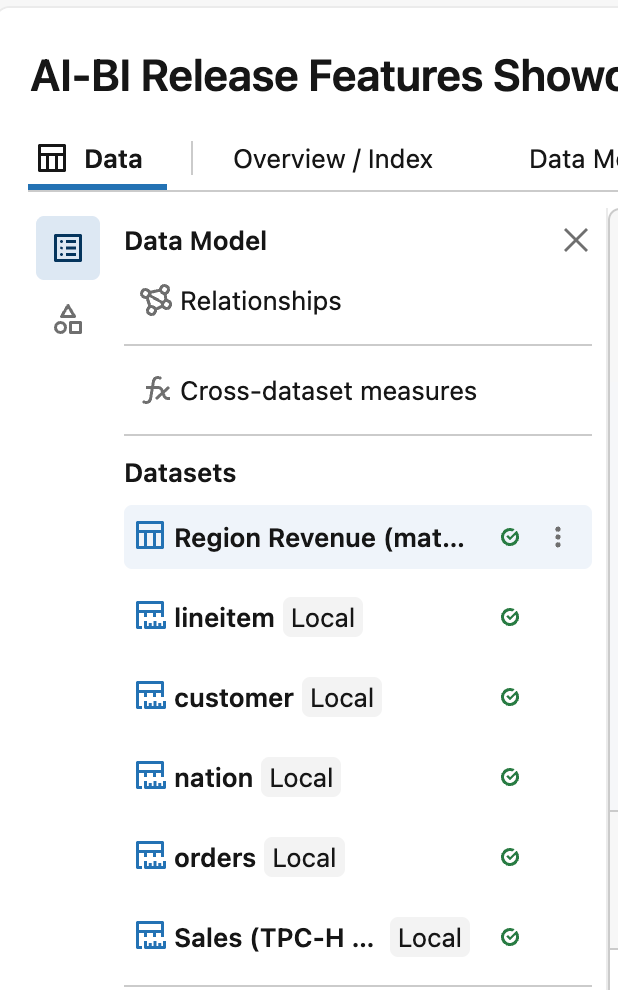
Lakehouse Real-Time warehouse support (Beta): Power Operational and streaming analytics with sub second responsiveness by connecting AIBI dashboard with Lakehouse RT
Decimal precision : Ensure absolute fidelity across financial and scientific reporting as Generated visualizations respect defined decimal precision rules.
Select multiple tables when adding a data source: You can now select multiple tables at the same time in the Add data source picker when building a dashboard data model.
Dashboard relationships, which let you build complex multi-fact data models scoped to an AI/BI dashboard, are GA.
Visualization and Dashboard Design
Subscribe to Friend of Medium to remove upgrade prompts from your unlocked stories.
Custom theme scope: Custom themes no longer color the View queries dialog, widget context menus, or data reference popovers, matching the behavior of built-in themes.
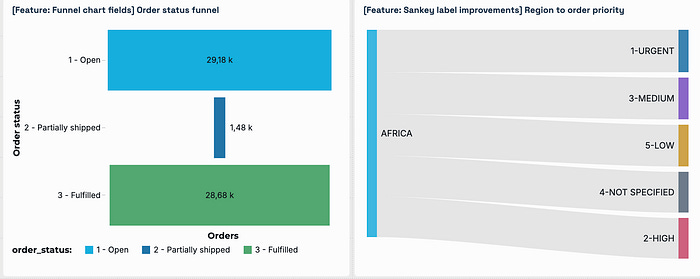
Funnel chart fields: Fields carry over when you change a chart to or from a funnel chart.
Sankey label improvements: Labels on Sankey diagrams overlap less.
Field picker tooltips: Hovering over a field or measure name in the field picke shows its full name in a tooltip.
Layered combo charts: Authors can build combo charts from separate chart layers.
Data labels and custom total label for waterfall charts: Authors can add data labels to waterfall charts and customize the total bar’s display name, color, and label.
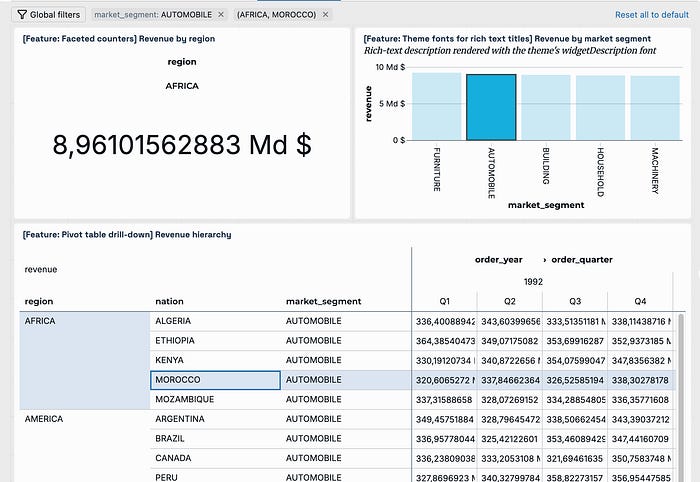
Pivot table drill-down: Viewers can drill down through the row and column hierarchy of a pivot table one level at a time.
Theme fonts for rich text titles: Rich text widget titles and descriptions inherit the dashboard theme’s font styles.
Faceted counters: You can facet a counter visualization to show one counter tile per dimension value.
Tabbed editor popover height: Tabbed editor popovers keep their opening height instead of growing.
Inactivity and Filters
Single-field filter default: Changing the field on a single-field filter clears the previous field’s default value. The filter falls back to All, or to None when All isn’t allowed.
Widget-level filter refresh: The values in widget-level filter refresh when a dataset changes, without a browser refresh.
Private bookmarks: Dashboard viewers can save filter combinations as private bookmarks to return to later.
Private bookmarks are visible only to the user who creates them.
Legend cross-filtering: Selecting an item in a visualization’s legend applies cross filtering
Global filter display in embedded dashboards: Embedded dashboards can show, collapse, or hide global filters by default.
Exporting, Delivery and Scheduled Tasks
Granular PDF and Smarter email delivery: Get precise control over report sharing by compiling only select dashboard pages into a single PDF backed by more resilient scheduled distribution that delivers whichever attachments fit under email size thresholds.
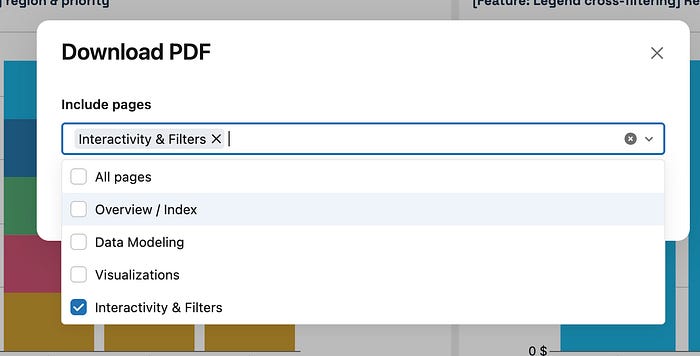
Dashboard task page selection and tabular attachments: Dashboard tasks in jobs can optionally include dashboard page selection and tabular attachments.
Dashboard Insights (Beta): Viewers can have Genie analyze the charts on a published dashboard page and summarize notable findings, such as trends and outliers, as insight cards.
Key Takeaway: AIBI Dashboards are transitioning into a mature, full-scale replacement for Power BI and Tableau by pairing automated bulk migration with enterprise-grade data modeling and interactivity. Coupled with native Lakehouse performance, Genie expands beyond basic Q&A into an end-to-end co-pilot that actively builds dashboards, optimizes compute, and surfaces automated insights.
Lakeflow Designer
1. Data Ingestion, Operators & Transformations
New built-in components and analytical functions for building data workflows.
Connect files using your own account: Direct authentication to Google Drive, SharePoint, or OneDrive from a Source operator.
New Prepare actions: Batch transformations including JSON parsing (
Parse JSON), multi-column renaming (Rename columns), and applying expressions across multiple fields simultaneously (Multi column formula,Change type,Trim).HTML operator: Custom output rendering with embedded CSS and JavaScript to build upstream-driven tables, charts, or custom views.
Use
ai_decidein AI Function operator (Beta): Model-driven decision-making for classification, scoring, and text/document evaluation.
2. Custom Operator Development & Management
Packaging, lifecycle management, and distribution of reusable components.
Publish custom operators: Promote user-defined operators to workspace-level assets for cross-project reuse.
Install custom operator dependencies: Automatic prompt and installation workflow (
Add dependencies>Apply) in the Environment pane when dependencies are missing.
3. Canvas Usability, Navigation & Layout
Visual organization, discovery, and structuring of complex pipelines.
Find operators by category: Categorized organization (input/output, clean, combine, transform, code, report, canvas tools) in the Operators pane.
Auto layout a group: Scoped re-alignment of operators inside a specific group without affecting the rest of the canvas.
Organize groups and notes: Group toolbar controls to collapse, disable, color-code nodes/notes, and zoom into selections (
Shift+2).Improved legibility for large workflows: Adaptive icon and geometry scaling when zooming out on large graphs.
Favorite operators: Star operators and filter by favorites directly inside the table of contents.
Sort operators by modification time: Chronological ordering in the table of contents by last-edited timestamp.
Parameter usage tracking: Direct tracing from parameters to their consuming operators, with click-to-focus navigation on the canvas.
4. Execution, Preview & Caching
Execution control, interactive debugging, and session performance.
Run up to an operator: Execute full-dataset runs strictly through the selected operator and its upstream dependencies.
Control runs from the file menu: Centralized execution actions (Run all, Interrupt execution, Clear actions, Go to last run operator).
Checkpoints for intermediate results: Manual (
On) or automated (Auto) caching of operator results for fast session-level preview retrieval.Reset preview overrides: Global reset (
Apply to all operators) to reconcile individual row-limit overrides back to default file settings.
5. Collaboration, AI & Sharing
Integration with workspace teammates and conversational interfaces.
Reference operators in Genie Code: Contextual prompting using
@notation to target specific canvas operators within Genie.Share full-screen previews: Shareable direct URLs targeting full-screen visual or HTML operator outputs.