
🛠️Data Engineering
Ovveride the replace where for a single refresh
You can override a standalone streaming table’s defined REPLACE WHERE predicate for a single refresh by adding a WHERE clause to the REFRESH STREAMING TABLE command. The override applies only to that refresh and doesn’t change the table definition, which is useful for one-time backfills and corrections.
FYI: This is supported only on standalone streaming tables created with a FLOW REPLACE WHERE clause. 📖Documentation
Managed Iceberg Materialized Views are available
Creating iceberg-compatible materialized views bridges the gap between high performance query acceleration and open data architectures 📖Documentation
New Lakeflow Connectors are available
Veeva Vault
Mysql integrated CDC Pipeline
Strac
Anthropic
Reddit Ads
OpenAI
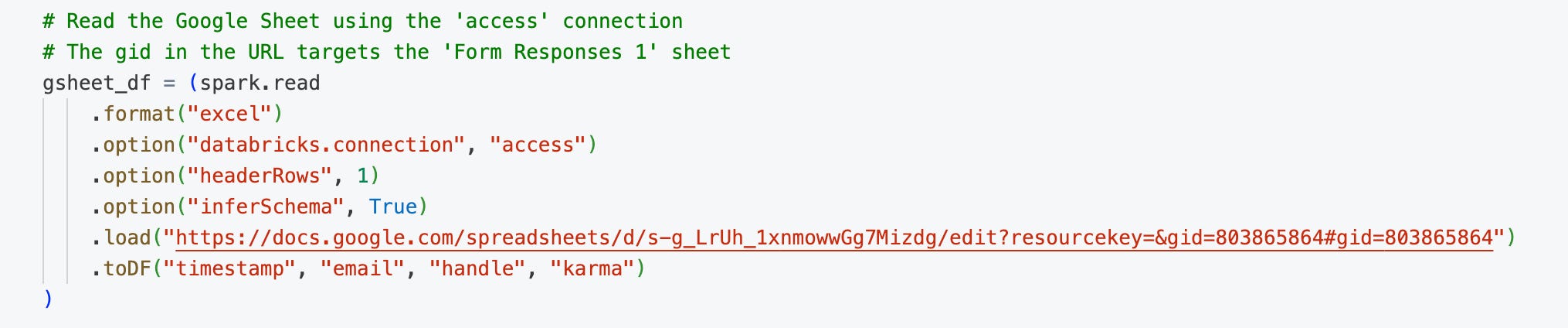
Native Excel support
You can read any sheet from a multi-sheet workbook, target specific cell ranges, automatically infer schema and data types, and work with formula values as their computed results . 📖Documentation
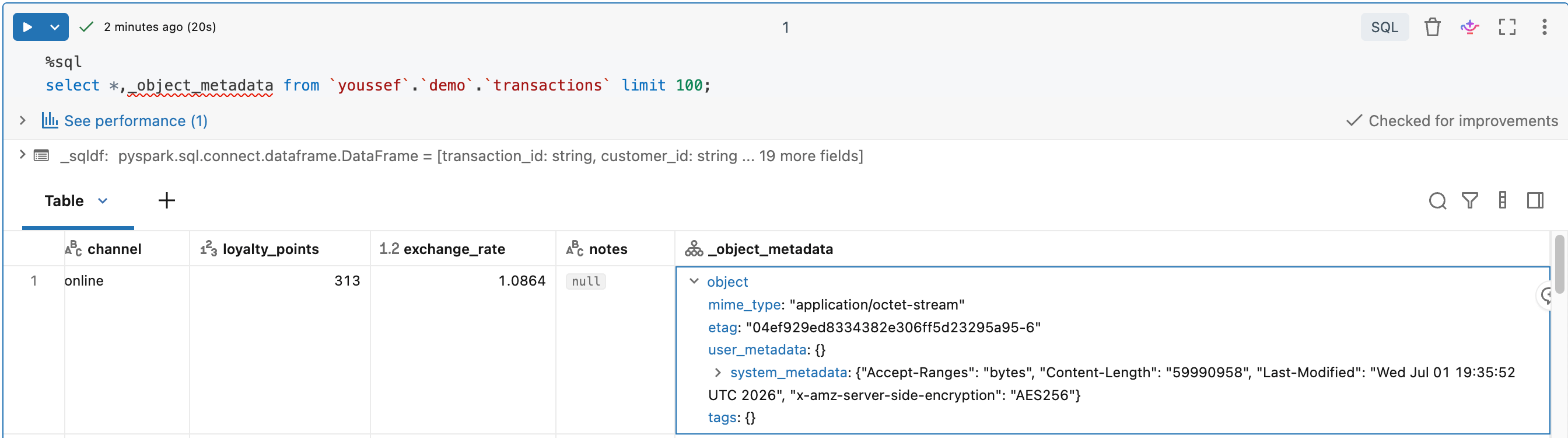
Granular data auditing
The _object_metadata column is a hidden metadata column that exposes cloud object-level properties for each file read by a file-based data source
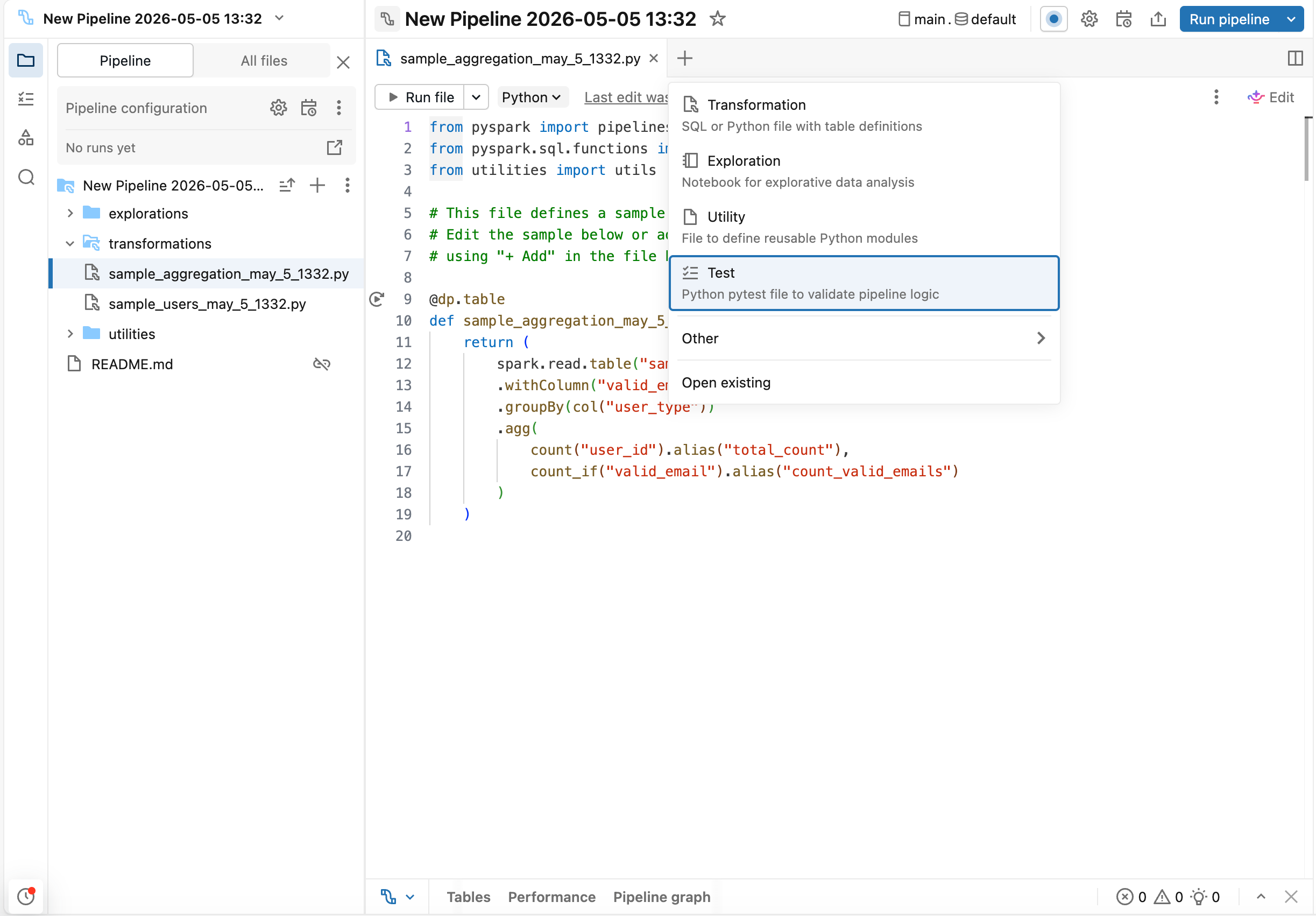
Unit testing for SDP
You can write and run Python unit tests for your Spark Declarative Pipelines on Lakeflow transformation logic directly in the Lakeflow Pipelines Editor. Validate Python and SQL transformations against mock data using catalog-table redirection, including Auto CDC, streaming tables, expectations, and append flows. 📖Documentation
What’s new in Automatic Upgrades ?
Automatic upgrades begin rolling out row tracking and Checkpoint V2 to existing Unity Catalog managed tables. You can track which features are available for automatic upgrades. 📖Documentation
⚡Data Warehousing
Lakehouse RT
Lakehouse RT is a serverless SQL warehouse type built for low-latency, high-concurrency workloads. By serving sub-second SQL read queries directly against Unity Catalog tables you no longer need to build and maintain reverse-ETL pipelines to copy data into secondary databases. 📖 Documentation
Excel Add-in enhancements
You can use the Add-in to write data from MSFT Excel to a Unity Catalog table by creating a new table or overwriting an existing one without leaving excel.
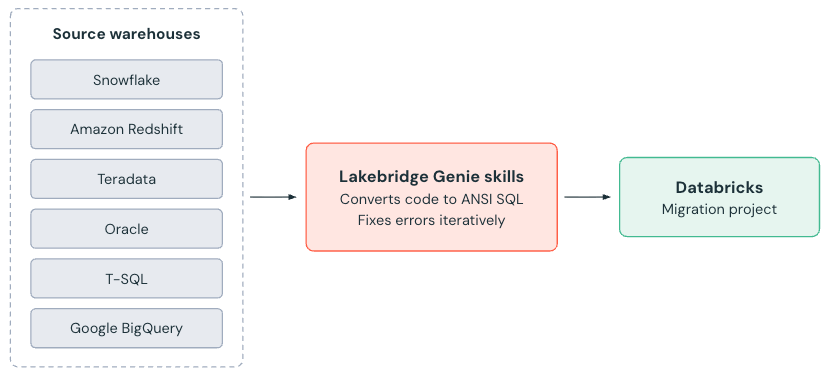
Agentic code converter
You can use the agentic code converter powered by Genie Code, to convert legacy SQL dialects such as T-SQL, Snowflake, Redshift, Oracle, BigQuery, and Teradata to ANSI SQL in migration projects in your workspace. The converter analyzes each source script, validates syntax and semantic intent and iteratively fixes errors before writing the results to your workspace. 📖 Documentation
Protection against runaway queries
You can set a statement timeout on a single SQL warehouse so that different warehouses can apply different timeouts to their queries. You can set the timeout with the statement_timeout field in the Create or Update warehouse APIs. 📖 Documentation.
🖥️ Platform
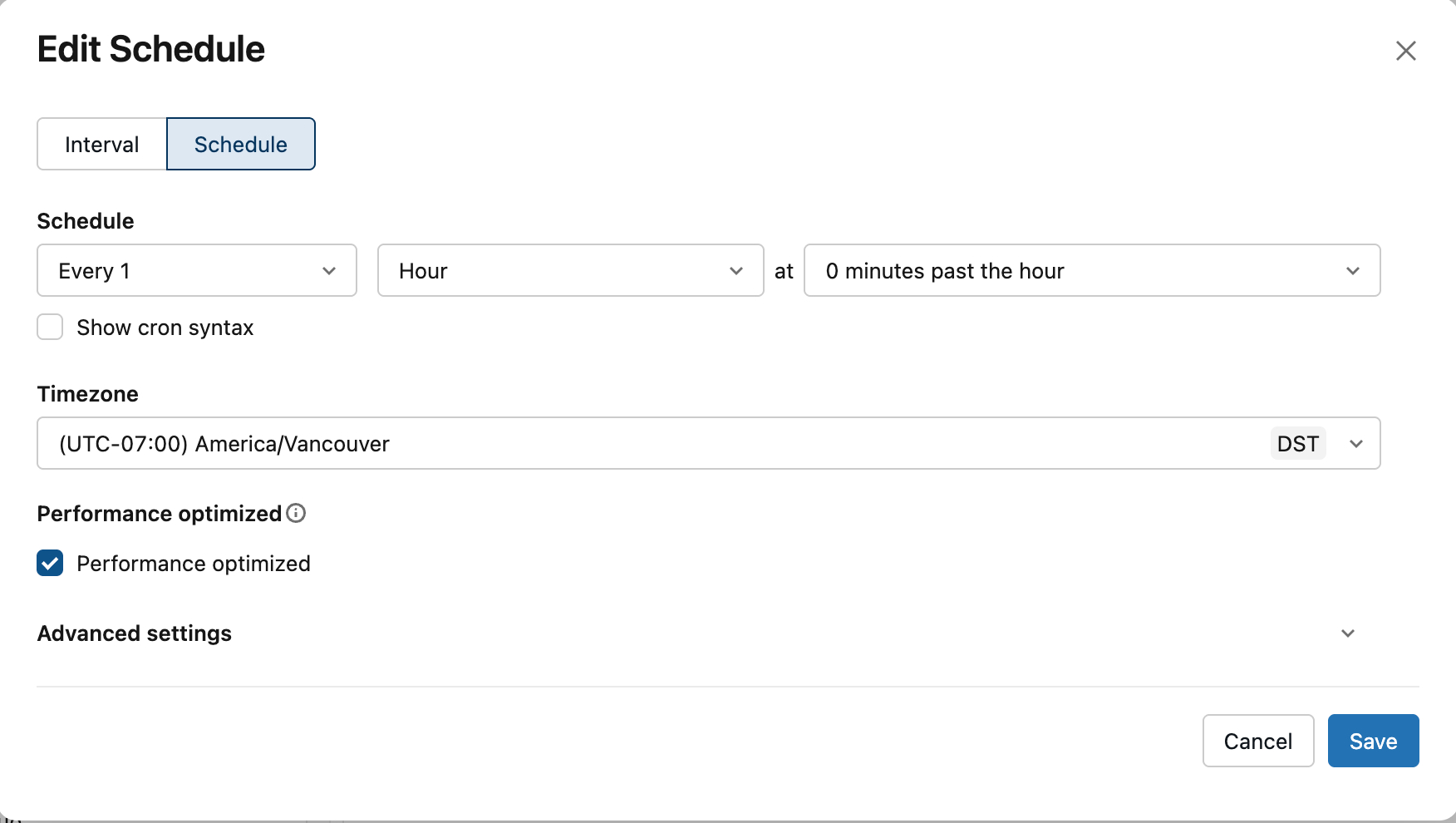
Standard performance mode is supported for MVs and STs refresh
Pipelines use the performance-optimized mode when run interactively in the UI, the job's Performance Optimized setting when scheduled with a SQL task and the standard mode when scheduled. You can set the compute mode for pipelines scheduled by a SCHEDULE clause in the definition, edit the schedule in the Catalog Explorer. 📖 Documentation.
Private Link updates
You can use Private Link to privately connect to Databricks account-level resources and to SAP Business Data Cloud (BDC) 📖 Documentation,Documentation
Allow partner platform IPs in context-based ingress control
Context-based ingress control supports Partner Platforms as a network source. You can select a partner platform to allowlist the IPs that third-party apps use to connect to Databricks. The IP lists are managed automatically.
Custom URL for Databricks Account
Git CLI Commands in Git Folders are available
Git folders that you create from the UI automatically get Git CLI access when your workspace is eligible, so you can run standard Git commands such as git stash, interactive rebase, pre-commit hooks, Git submodules, and Large File Storage (LFS) directly from a Databricks terminal.
🤖GenAI & ML
The web terminal in notebooks connected to serverless GPU compute (AI Runtime) available. You can use it to run shell commands, monitor GPU usage with
nvidia-smi, install libraries, and manage files directly on the compute. This requires serverless GPU environment version 5 or above. 📖 DocumentationFor custom model serving endpoints with a tensor-based input signature, you can send the request body as a serialized KServe v2
ModelInferRequestwithContent-Type: application/x-protobuf, instead of JSON.
Lakebase
Lakebase Autoscaling update notification now post 3 days in advanced.
Lakebase is SOC 2 Type 2 compliant.
Lakebase adds AI-assisted troubleshooting: database issues and early warnings are surfaced to you with Insights and you can then investigate and fix them conversationally with Genie.
📝Genie Agents
Databricks Genie App for Teams: 📖Documentation
Databricks Genie App for Slack: 📖Documentation
Prompts and responses initiated by Genie Chat are visible in Genie Agents monitoring when the sharing is enabled.
You can upload local Excel and CSV files to an Agent Mode chat for ad-hoc analysis. 📖 Documentation
You can retrieve visualization results from Genie Agents using the API. 📖Documentation
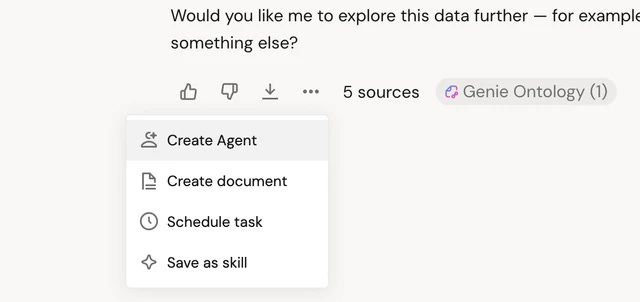
You can save a Genie One thread as a Genie Agent so you can open it in your workspace to fine-tune its context, instructions and data assets.
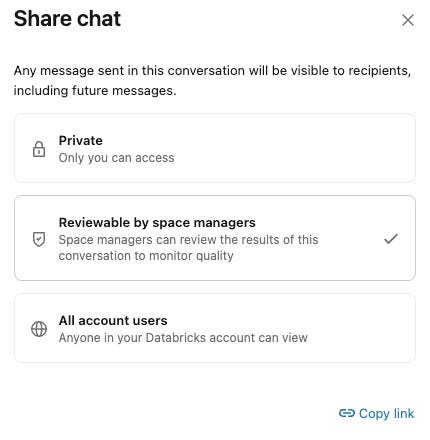
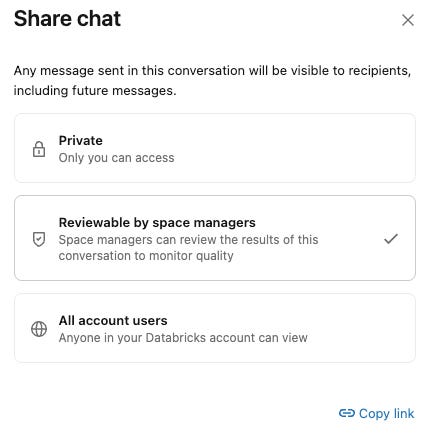
You can share individual Genie conversations to collaborate with teammates or allow agent managers to review your results.
Genie Agent can analyze files stored in Unity Catalog volumes such as PDFs, slide decks, and images. 📖Documentation
Agent mode APIs for Genie Agents are available. 📖Documentation
You can download visualization results through the Genie Conversation API on Private Link workspaces in supported regions.
📊Genie Code
🚀 Report Import & Migration Tools
Direct Import: Convert Tableau and Power BI files into new AI/BI dashboards straight from the dashboard list.
Automatic Relationship Mapping: Preserves source dashboard relationships detected during import. 📖 Documentation
Unified Metrics: Prioritizes existing Unity Catalog metric views during conversion to reduce redundancy.
🛠️ Dashboard & Filter Customization
Date Range Tailoring: Request Genie Code to customize quick-select options (e.g., constraining options to day-based ranges).
Flexible Multi-Select Filters: Set default parameter filter values to empty (“All”) instead of forcing a single default selection.
🛡️ Quality & DevXp
Automated Semantic Auditing: Every newly created widget is automatically validated across core business logic (grain, units, scale, category values, and populations) for maximum precision.
Undo/Redo Support: Author confidently with complete history controls.
Warehouse Picker: Easily select your compute via the warehouse picker in full-page Genie Code. 📖Documentation
📲Genie One
AI Capabilities & Memory
Genie Code Mentions: Type
@Genie Codein a Notebook comment to get help directly within the comment thread.Copilot Integration: Connect Genie directly to Microsoft Copilot Cowork. 📖Documentation
Memory (Beta): Genie One can save specified details (like preferences and workflows) to apply in future conversations. 📖Documentation
Recall & Reuse Context: Search past conversations and bring that context into your current chat. 📖Documentation
Document Features
Document Links: Documents supports embedded hyperlinks.📖Documentation
Edit Timestamps: Displays the exact date and time documents were last edited. 📖Documentation
Document Citations: Documents display citations linking content directly back to source data.
Version History: Review earlier versions of documents through built-in history tracking.
Soft Tabs: Open document links in soft tabs without navigating away from the current document.
Integrations & MCP Apps
Genie One MCP App (Beta): Adds UI interactions from third-party agents, including interactive visualizations and Genie Ontology citations. 📖Documentation
GitHub MCP (Beta): GitHub MCP connection for Genie One is available📖 Documentation.
Scheduled Tasks
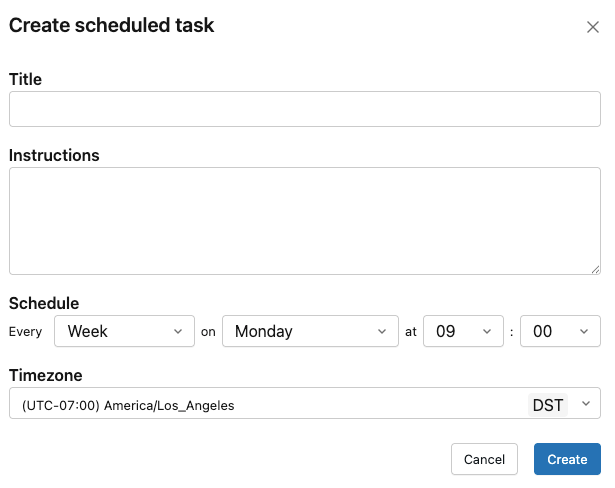
Shared Task Overview: Access a dedicated modal and listing page to view scheduled tasks shared with you by others.
Task Mentions:
@mentionscheduled tasks directly inside Genie One.On-Demand Execution: Select Run now while authoring a scheduled task to run it immediately.
Platform, Data & UI Enhancements
Ontology Snippets: Support added for ontology snippets (contact your Databricks account team to enroll). 📖Documentation
Partially Supported Datasets: Ask Genie now queries valid datasets rather than failing completely when a dashboard contains unsupported SQL expressions.
Front-end Private Link: Configure account-level front-end Private Links by turning on the Custom URLs and Account preview.
Certified Visualizations: SQL charts and visualizations inserted by Genie One are now read-only certified visuals.
Inline Conversation Renaming: Edit conversation titles inline by clicking the title in the chat header.
Mobile Workspace Sign-in: Enter your workspace URL manually in the Genie mobile app if automatic discovery fails. 📖Documentation
Expanded PDF Limit: The maximum character limit per uploaded PDF increased from 4,000 to 15,000 characters. 📖Documentation
📝Metric views
Median and percentile expressions in metric views: Low-code metric view building supports two new expression types: median and percentile.📖 Documentation
Local metric views support cluster-by and partition-by configuration in the UI and YAML and provide a low code option for adding filters to measures. 📖 Documentation
Dashboard widgets show the display name defined for each field in a local metric view instead of the literal field name. 📖Documentation
📊AIBI Dashboard
Dashboard variable display names: When a display name is available, dashboard variable drop-down menu options show the column’s display name instead of the field name. 📖 Documentation
Dynamic annotation lines: Annotation lines can be driven by data or a calculation instead of a fixed value, letting you show running averages, variable thresholds, or anomaly markers that update with your data. 📖Documentation
Dashboard relationships: Build complex multi-fact data models scoped to an AI/BI dashboard.📖Documentation
Custom Vega visualization improvements: 📖Documentation
Cross-filtering works for Vega-Lite charts. The selection appears in the active filter bar and is preserved in dashboard URLs and share links.
Custom Vega-Lite charts can inherit the dashboard’s light or dark mode and custom theme, and authors can reference theme values directly in Vega-Lite expressions.
Counter widgets support text styling on the comparison date and conditional coloring on the comparison field.
Table columns adjust their width automatically based on cell content.
Choropleth maps support English region names from the
name_encolumn as the identifier for admin-0 (country) boundaries. 📖DocumentationYou can select Run now on a dashboard schedule to run it immediately. 📖 Documentation
Cross-filtering on a faceted chart includes the facet field as part of the filter. 📖 Documentation
Applied filters in email attachments: Dashboard authors can include the applied filters as a separate tabular attachment in email subscriptions. 📖 Documentation
Multi-select filter improvements
Multi-select filter stays open: Multi-select filter drop-downs stay open between selections and keep your place in the list instead of closing.
Select all matching values in a multi-select filter: In a multi-select filter, you can type to narrow the list and select Select all results to select every matching value at once. Selections are additive across searches.
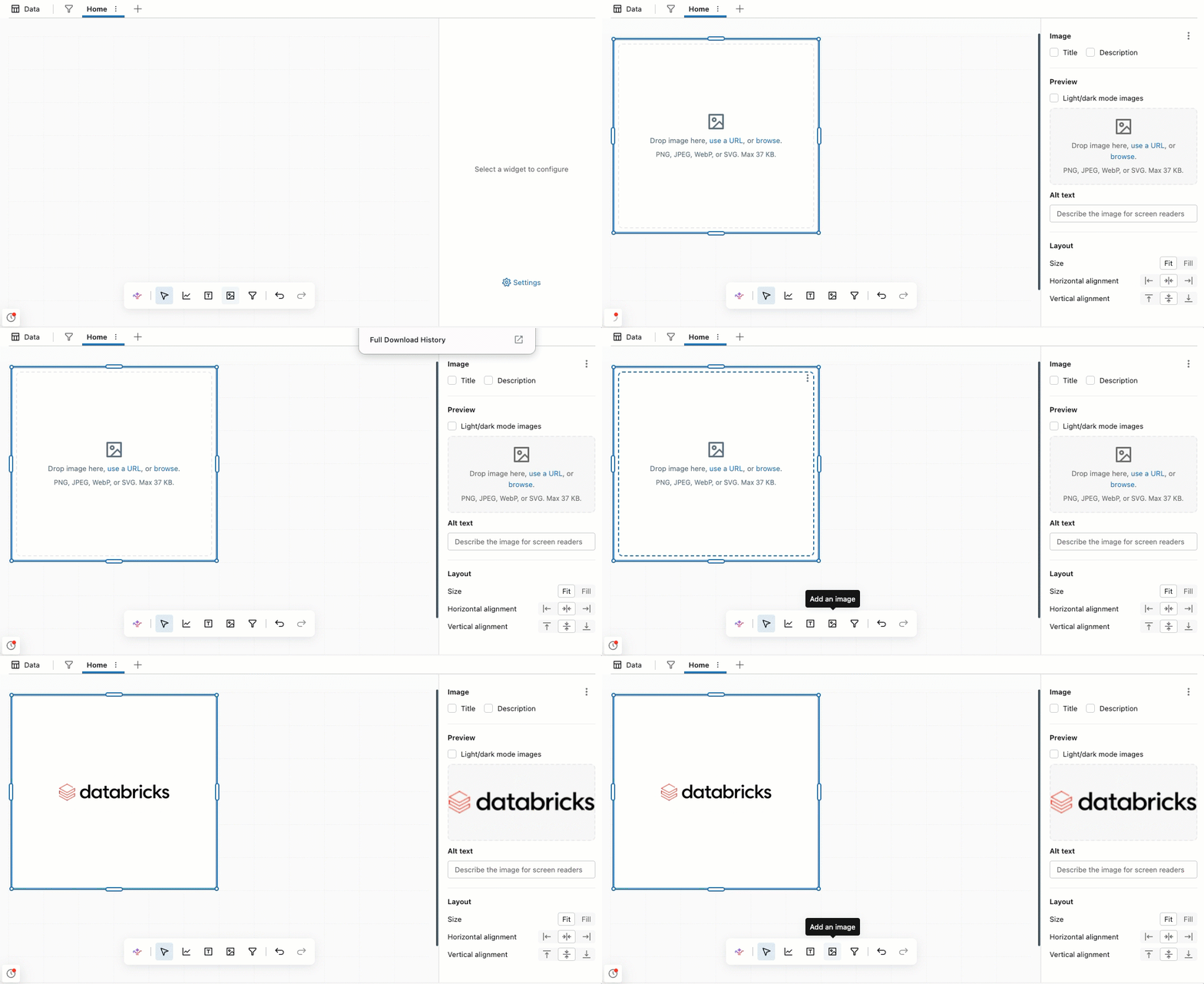
Image widget: You can add a dedicated image widget to a dashboard.
🛡️Governance and Sharing
Restrict access to AI Functions with Unity Catalog
You can use Unity Catalog permissions to restrict which task-specific AI Functions your organization can access, independent of foundation model access. 📖 Documentation
Secrets in Unity Catalog
You can store, govern and access secrets as securable objects in Unity Catalog. 📖 Documentation
Centralized Governance in Databricks
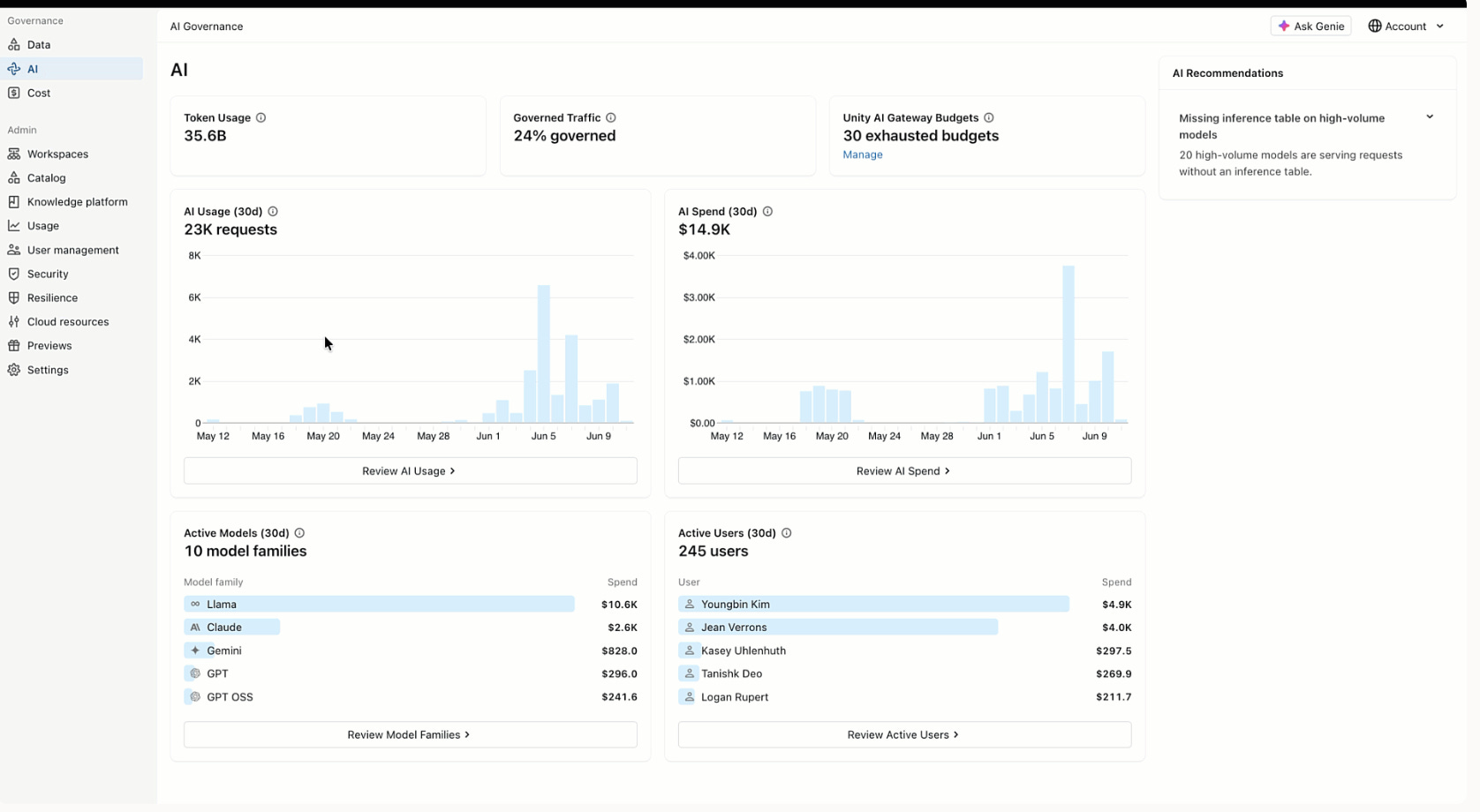
Governance Hub is a centralized account-level UI in the account console for monitoring governance across your Databricks account. It provides a unified view of data health and coverage, AI usage, spend, and cost drivers,with prioritized insights and recommendations. 📖 Documentation
Role-based access control is Unity Catalog
RBAC lets users assume a role in Databricks using only that role’s permissions for the duration of the session instead of their own accumulated permissions. This enables exclusive access. Users must actively assume a role to reach sensitive data, which prevents them from accessing it as their own identity and from mixing data across use cases.📖Documentation
Governed Tags in System tables
The system.tags.governed_tags system table is in Beta. This table contains a record for each governed tag key in your account, including customer-created and system-generated tags. Use it to programmatically determine which tags in your account are governed. 📖Documentation
⚙️Lakeflow Designer
Use the new Prepare operator for common data-cleansing tasks, including changing text case and data types, replacing values, and applying formulas. 📖Documentation
Manually create tabular data in a spreadsheet-style editor. 📖Documentation
Use the new Select operator to choose which columns to keep, rename columns, and reorder them in the output. 📖Documentation
Create and view visualizations directly on the canvas. 📖Documentation
The Output operator supports inserting or appending data in Unity Catalog tables, publishing results as materialized views and writing CSV, Excel, or JSON files to Unity Catalog volumes.
The Join operator provides three outputs by default: unmatched left rows, matched rows, and unmatched right rows. This makes it easier to branch a workflow based on join results.
The Join operator now includes a Match case option and matches string keys case-insensitively by default.
The Filter operator provides separate outputs for matching and non-matching rows, so you can branch data based on whether it meets the filter conditions.
The AI Function operator now supports
ai_query,ai_parse_document,ai_forecast, andai_prep_search.The Source operator can target an entire Unity Catalog volume or folder path instead of an individual file.
Use Unity Catalog metric views as source nodes in Lakeflow Designer.
The Note operator supports inline rich-text editing directly on the canvas, including headings, text styling, links, images, and tables.
Unconfigured operators have a dashed border, and required input ports that aren’t connected are highlighted in yellow.
Find and navigate to any operator using the new searchable table of contents in the left sidebar. Select an operator to focus it on the canvas, then expand the Generated code section to view its underlying code.
Command palette: Press Cmd+Shift+P on macOS or Ctrl+Shift+P on Windows to quickly access editor actions.
Find all of your visual data prep files from a dedicated Visual data prep page in the sidebar.
When working with visual data prep files, you can choose the serverless environment used for both interactive runs and scheduled jobs.
Declarative Automation Bundles support: Deploy and run visual data prep files with Declarative Automation Bundles by configuring them as notebook tasks and referencing the file path in
notebook_task.notebook_path. 📖Documentation