

Data Engineering on Databricks
Highlight: Delta Lake 3.1 has been released!
In our next post, we will deep dive into the latest of Delta Lake. Subscribe to become a Delta Lake expert and impress your peers!
Delta Lake & Liquid Clustering
Liquid Clustering is one of the most exciting features of Delta Lake. With Liquid Clustering, Databricks accelerates your queries by ordering the data layout without having you worry about your partition size, maintaining Zorders or other tradeoffs.
As of DBR14.3, you can enable liquid Clustering on existing tables (if the table is not partitioned)! Learn more
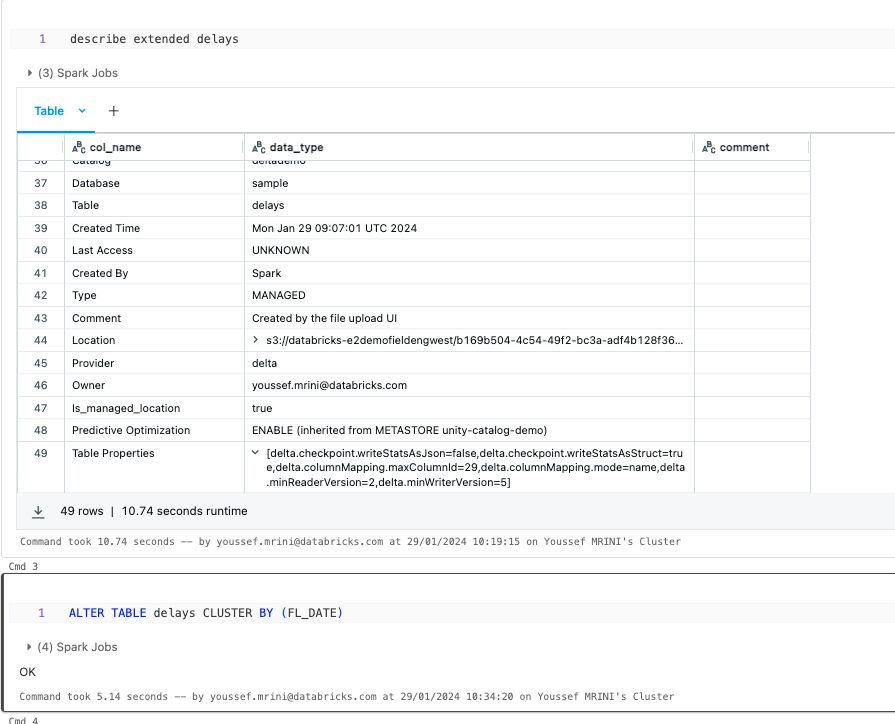
Tips: If you have a big table, Delta Lake collects stats for the first 32 columns unless you add a tblproperties. You have two options :
delta.dataSkippingNumIndexedCols changes the number of columns on which Delta collects statistics (depending on column order).
delta.dataSkippingStatsColumns helps you to specify a list of column names for which Delta Lake collects statistics (supersedes dataSkippingNumIndexedCols).
PS: Don’t forget to update the statistics once you update this property:
ANALYZE TABLE tbl_name COMPUTE DELTA STATISTICS
Governance & Unity Catalog
Volumes are getting better!
You can now use cloud storage URIs for path access to data governed by Unity Catalog stored in external volumes. Learn more

Kafka authentication with Microsoft Entra ID (AD)
Use Microsoft Entra ID for Kafka authentication on shared clusters (+DBR14.3). Open the documentation
AI, LLM & Data Science
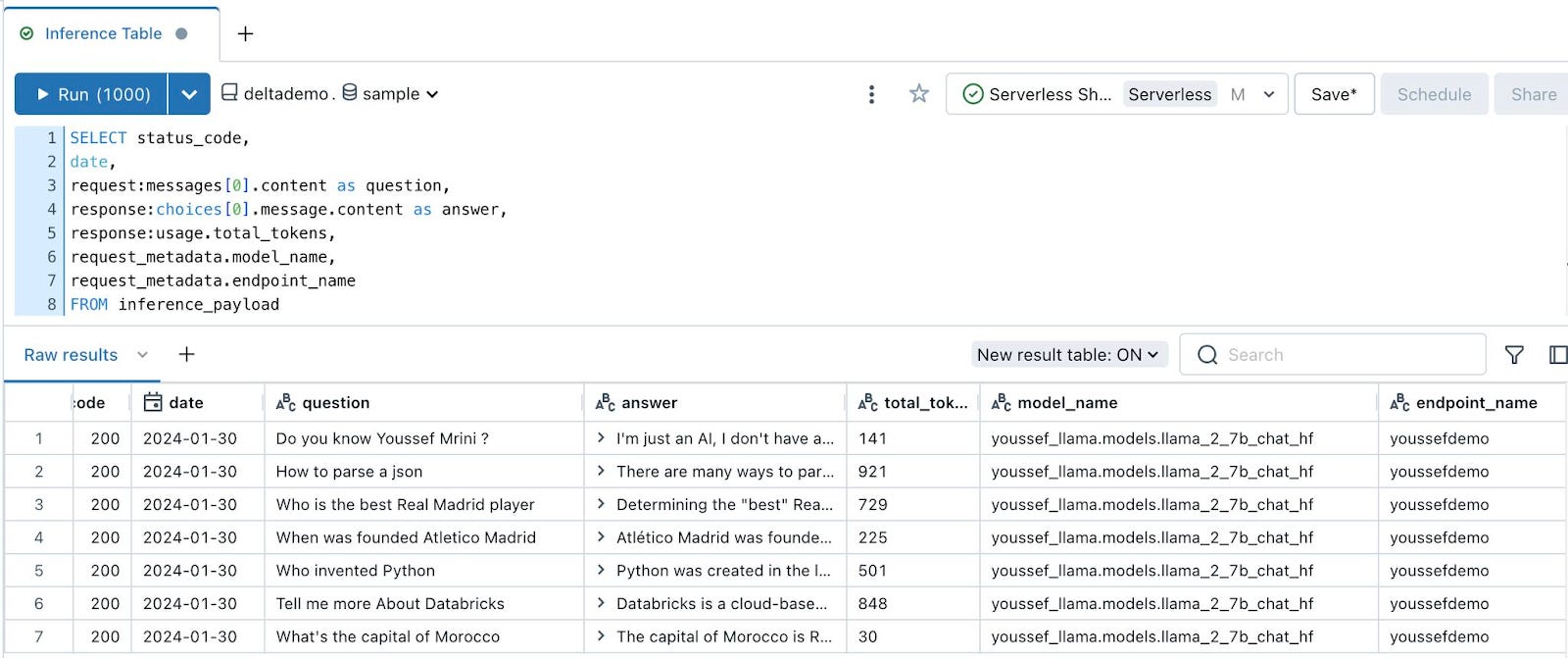
Inference tables support GPU endpoint!
You can now monitor your GPU model serving workloads using inference tables. Learn more.
SQL & Warehouse update
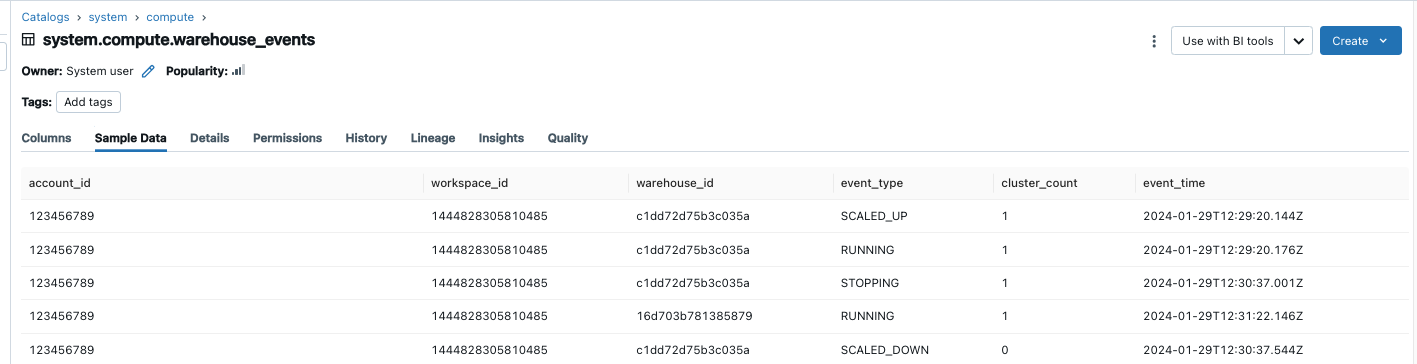
Warehouse information is now on System tables
Warehouse events system is now available. You can monitor and manage your SQL warehouse lifecycle using Unity Catalog System tables. It records a row every time a warehouse starts, stops, runs, and scales up/down. Learn more
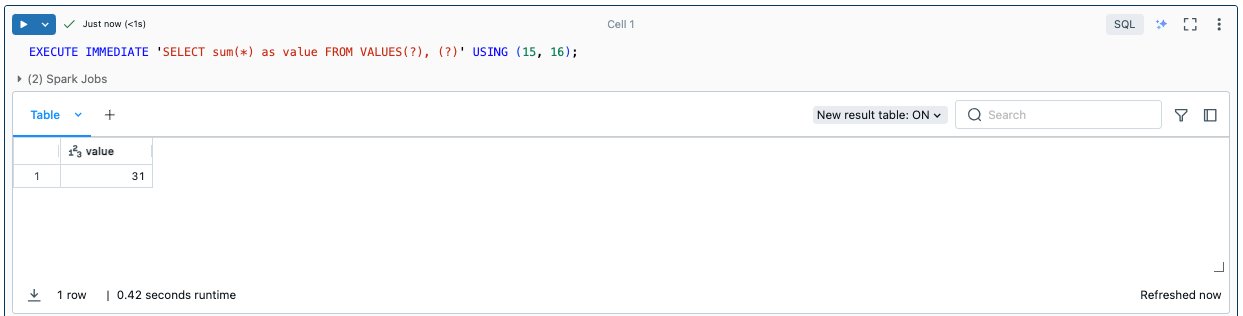
“Execute immediate” now available
You can now use the Execute immediate syntax to support parameterized queries in SQL. Learn more
Cloud Fetch on by default
Cloud Fetch accelerates your BI workload by downloading the data directly through blob storage. It is now enabled by default. Open the documentation
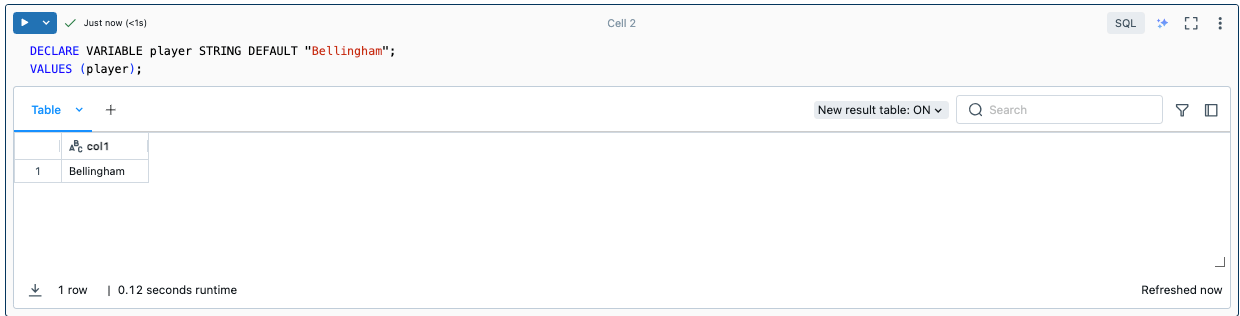
Temporary variables in SQL
You can now declare temporary variables in a SQL session. This can help simplify complex queries and improve readability. Learn more
Delta Sharing and Marketplace
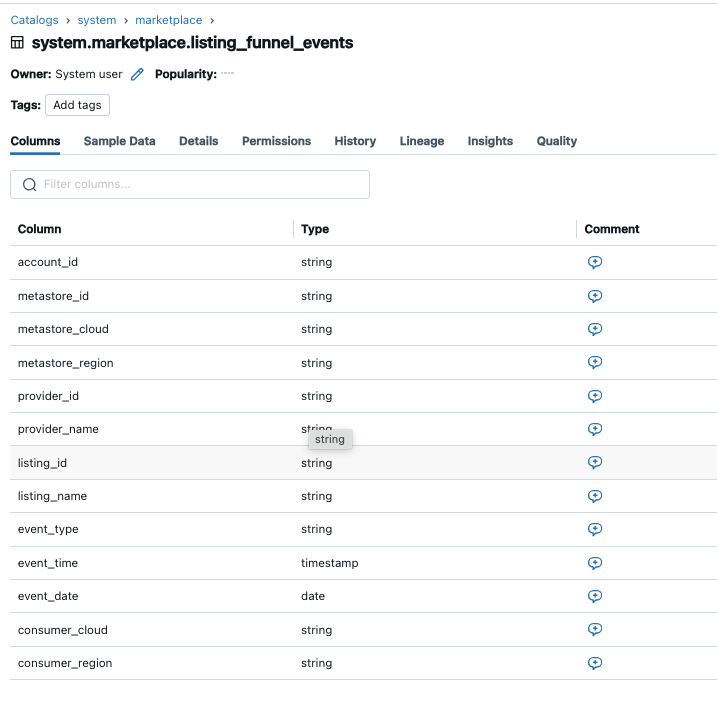
New System tables!
Marketplace system schema now includes a listing funnel events table. You can monitor consumer actions on your list. Learn more
Share UC models with Detla Sharing
You can now use Delta Sharing to share models that are registered in Unity Catalog. Both the provider and recipient workspaces must be enabled for Unity Catalog in order to share models. To learn more
Volumes available through the marketplace
Databricks Marketplace now gives you access to volumes (non-tabular data), as long as you have a Unity Catalog-enabled Databricks workspace. Volumes are Unity Catalog objects that represent a logical volume of storage in a cloud object storage location, and they provide a way to manage governance and sharing of non-tabular data assets. Learn more
Notebook & devx
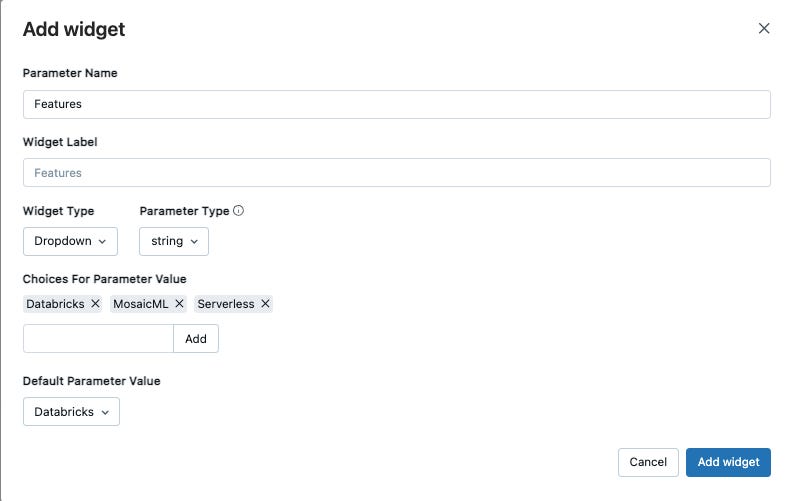
Widgets everywhere
You can create a widget from the UI. Open the Documentation
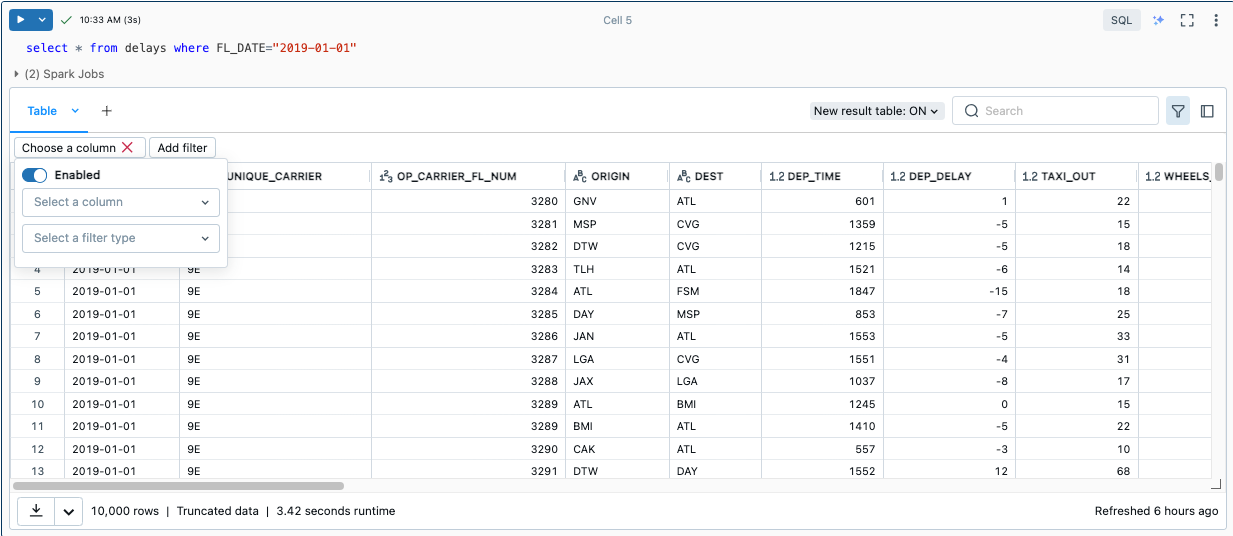
Try the new UI cell render
The new cell UI for the notebook offers an updated look and feel, improved performance, and new features.
Quick fix suggestion in your notebooks
In order to improve productivity and simplify the dev experience, you can hover over a syntax error and select one of the Quick fix suggestions!

Support for bigger files
Individual workspace files can now have a size of up to 500Mb. Workspace files can be py, md, csv, txt, whl and log files.
Platform
To simplify the deployment process, a subnet for a customer-managed VPC can be shared between multiple Databricks workspaces. Learn more
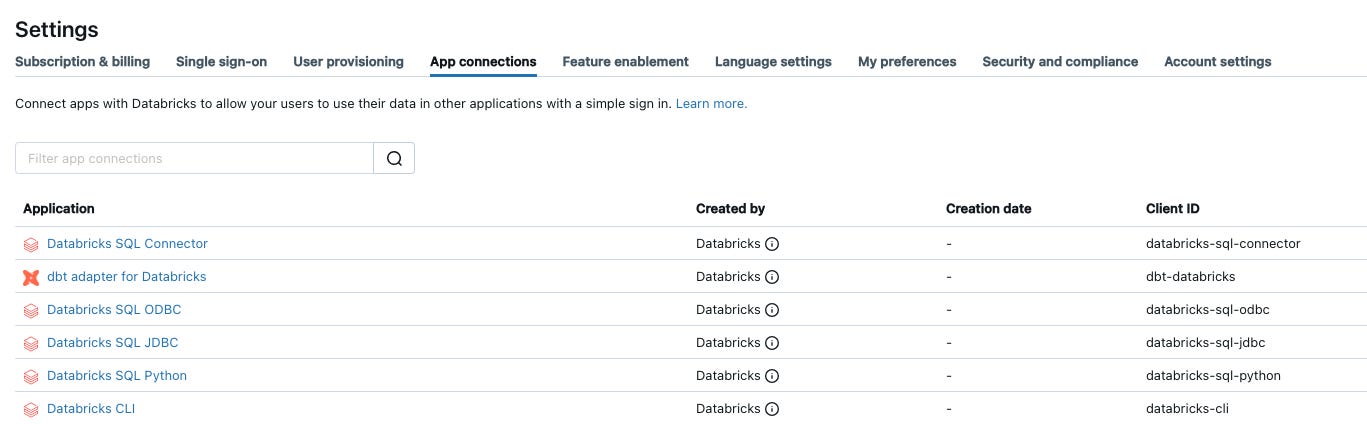
You can now enable custom OAuth applications in the Databricks UI. Learn more
Workspace admins can now enable the following access control settings on upgraded workspaces:
Workspace access control: enables users to configure permissions to workspace objects.
Cluster, pool, jobs access control: enables users to configure permissions to clusters, pools, and jobs.
Cluster visibility control: prevents clusters from being visible to users that have no permissions on them.
Jobs visibility control: prevents jobs from being visible to users that have no permissions on them.
Workspace visibility control setting: prevents notebooks and folders from being visible to users that have no permissions on them.
In a nutshell…
You can now query Structured Streaming state data and metadata.
Databricks ODBC driver 2.7.7
After Jan 31, 2024 Databricks will remove legacy notebook integration.