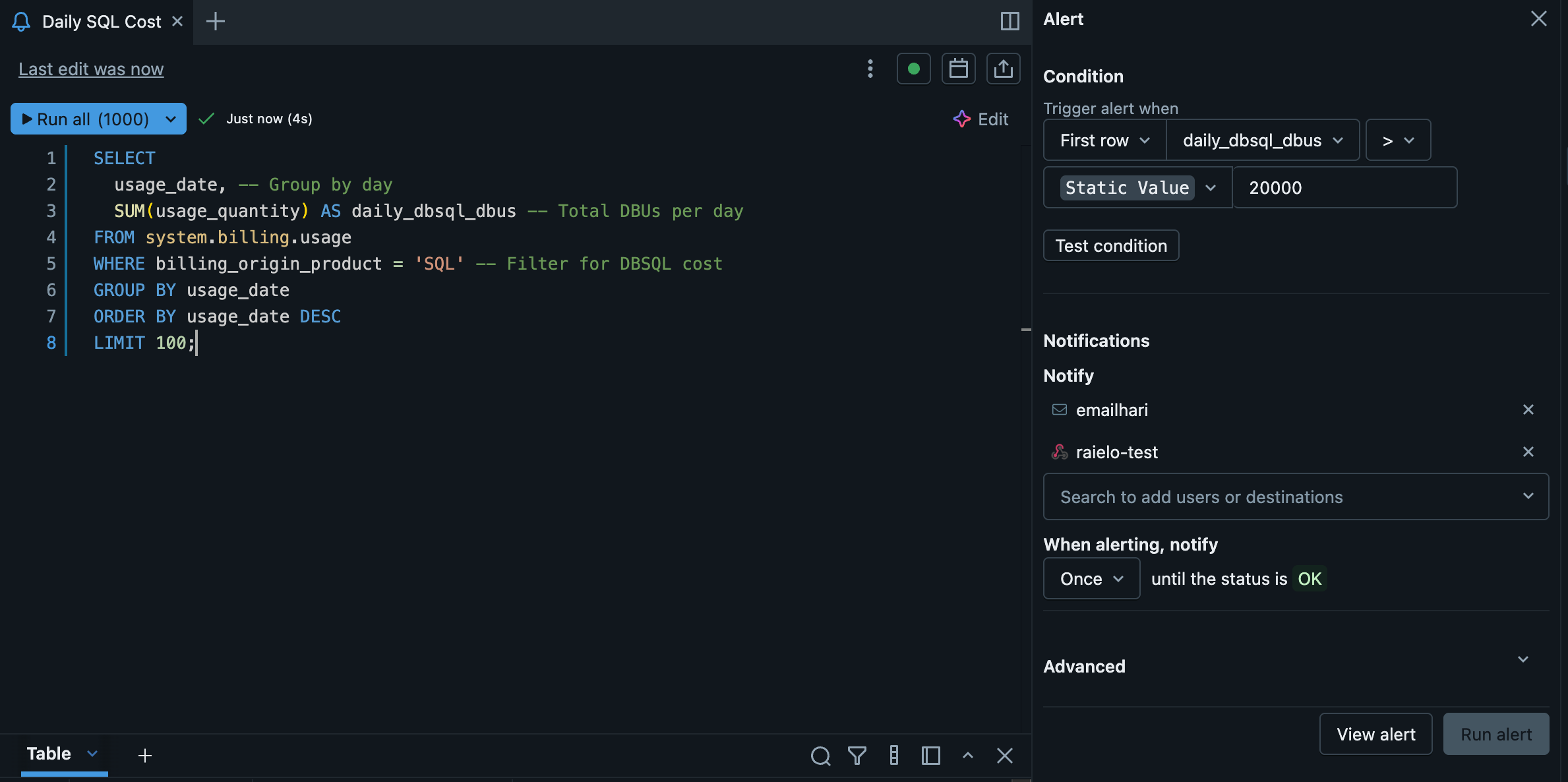
December 2025 Release Highlights
New Lakeflow connectors (MySQL, Meta Ads, Confluence, PostgreSQL, SharePoint, NetSuite) are available
Lakebase Autoscaling on AWS brings autoscaling compute, scale‑to‑zero, branching, instant restore, readable secondaries, ACL‑based project control, richer metrics, and new Databricks Apps resources like MLflow experiments, vector search indexes, UDFs, and UC connections.
New hosted LLMs (OpenAI GPT‑5.2, Claude Haiku 4.5, Gemini 3 Flash) are available across APIs, reasoning/vision endpoints, and batch jobs, plus Vector Search Reranker is GA to boost retrieval relevance.
Happy New Year 2026
✨Tips and Tricks
The databricks-labs-pytester package is a valuable utility for orchestrating integration tests with Databricks, enhancing pytest by providing native Databricks capabilities for resource management, Spark session handling and test isolation.
You can use Kasal which is an interactive, low-code way to build and deploy AI Agents on the Databricks platform.
🛠️Data Engineering
Lakeflow updates
Databricks released many connectors this month: MySQL connector, Meta Ads connector, Confluence connector, PostgreSQL connector, Customizable SharePoint connector, NetSuite connector
You can change owner for Materialized Views and Streaming Tables defined in Databricks SQL.📖 Documentation
ForEachBatch for Lakeflow Spark Declarative Pipelines is available. It helps processing streams as a series of micro-batches in Python. 📖 Documentation
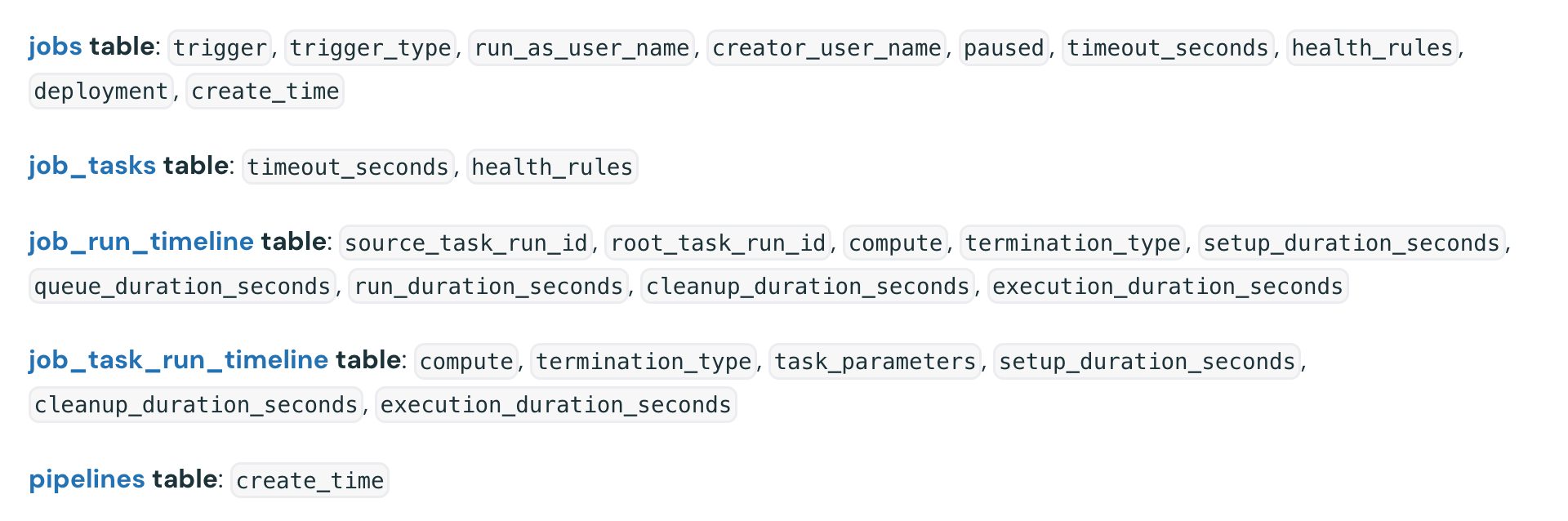
New columns are available in lakeflow system tables:
Autoloader improvement
Autoloader can discover files with the efficiency of notification while retaining the simple setup of directory listing.
Excel format support on Databricks
Databricks provides built in support for reading Excel files. 📖 Documentation

Streaming improvements (DBR18+)
Adaptive Query Execution (AQE) and auto-optimized shuffle (AOS) are now supported in stateless streaming queries. 📖Documentation.
You can change the number of shuffle partitions in stateless streaming queries without restarting the query.
Parameters markers everywhere (DBR18+)
You can use named (:param) and unnamed (?) parameter markers virtually anywhere a literal value of the appropriate type can be used. This includes parameter markers in DDL statements
🖥️Platform
The Databricks Assistant Agent Mode preview is enabled by default for most customers.
You can disable DBFS root and mounts
Once your file-based workflows migration to Unity Catalog volumes is completed you can prevent users from uploading modifying or accessing data in DBFS root and DBFS mount. 📖 Documentation
Flexible nodes type is a game changer
Flexible node types allow your compute resource to fall back to alternative, compatible instance types when your specified instance type is unavailable. 📖 Documentation
Context based ingress control is available
This feature allows account admins to define allow and deny rules that consider who is making a request, where the request originates, and what resources it targets within Databricks. With context-based ingress control, only trusted combinations of identity, request type, and network source can access your workspace. A single policy can protect multiple workspaces, ensuring consistent and centralized access enforcement across your organization.
Single use refresh tokens for OAuth applications
You can configure single-use refresh tokens for OAuth applications integrated with Databricks. This security feature requires token rotation after each use, enhancing protection for user-to-machine authentication flows. 📖Documentation
Lakebase and Apps
Lakebase (Autoscaling) is available on AWS
This new version of Lakebase introduces autoscaling compute, scale-to-zero, database branching, instant restore, and a redesigned project-based interface📖 Documentation
Run Read-Only Queries on Lakebase Readable Secondaries in Databricks SQL Editor
You can connect to Lakebase readable secondaries and run read-only queries from the Databricks SQL editor
ACL support for Lakebase AutoScaling
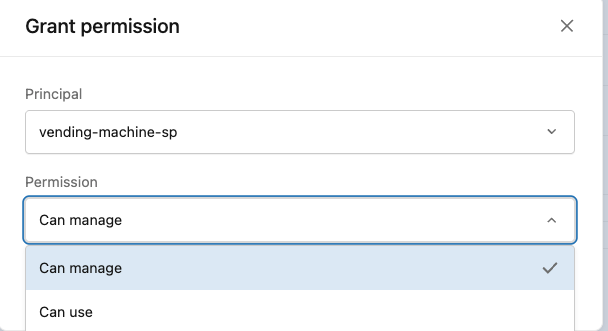
Lakebase Autoscaling supports Access Control Lists (ACLs). Grant CAN CREATE or CAN MANAGE permissions to control who can access and manage project resources. Manage permissions from project settings in the Lakebase App 📖 Documentation
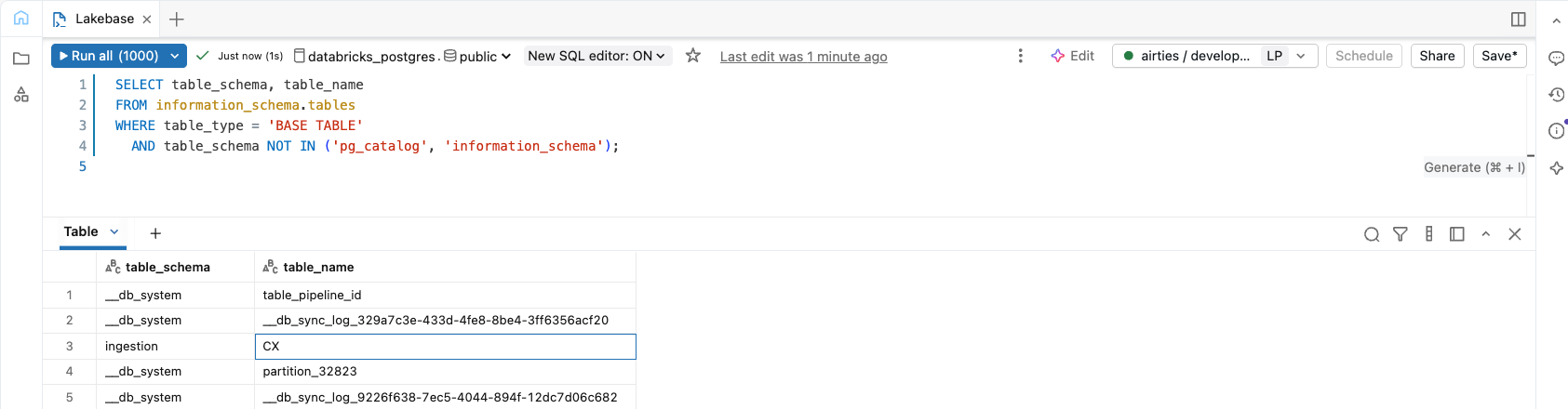
Connect to Lakebase Autoscaling from the SQL Editor with r/w access
Lakebase Autoscaling metrics dashboard
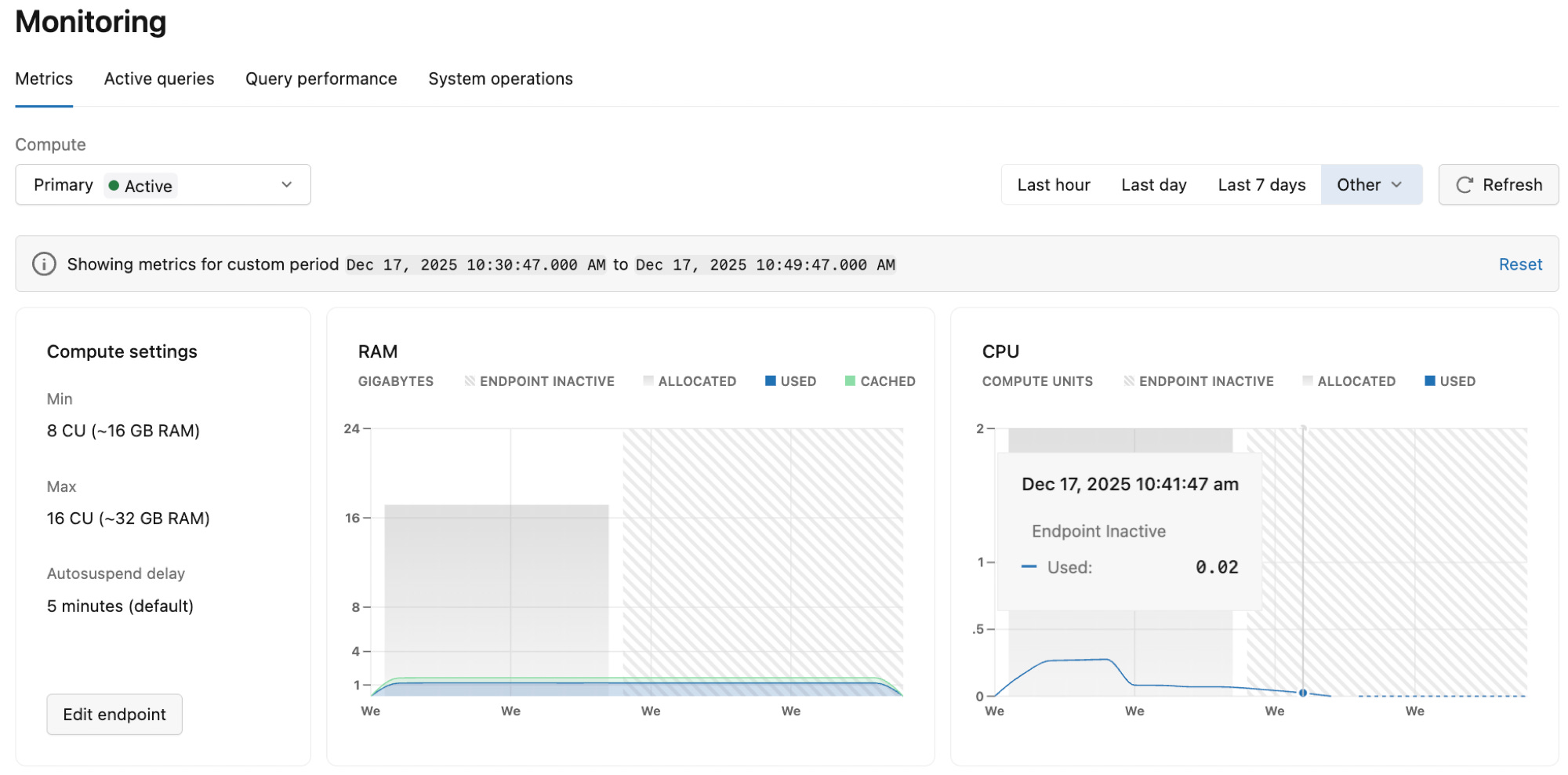
New resources types for Databricks Apps
You can add mlflow experiments, Vector Search Index, UDF, and UC Connections as resources in Databricks Apps. 📖 Documentation
🤖GenAI & ML
New available Models on Databricks
OpenAI GPT-5.2, Claude Haiku 4.5, Gemini 3 flash are available as a hosted models allowing you to access them through:
Foundation Model APIs in pay‑per‑token mode
Query reasoning model endpoints
Query vision model endpoints
Batch inference workloads using AI Functions
Vector Search Reranker is Generally Available
Reranking is a technique that improves retrieval quality by evaluating the retrieved documents to identify the ones that are semantically most relevant. 📖 Documentation
📝AIBI Genie
Numeric column formatting: Numeric columns in tables are now formatted more effectively, including IDs, ZIP codes, and currency.
Value dictionary indexing improvements: Improved value dictionary indexing for better coverage and recall on user prompts.
Service Principal monitoring display: The user column in the Monitoring page now shows the Service Principal ID when a service principal is used
Genie Research Agent (Beta) architecture update: Research Agent has a single reasoning agent that generates hypotheses and SQL.
Improved clarifying questions: Genie’s ability to ask clarifying questions in cases of semantic ambiguity in the user’s prompt has been improved.
Streamlined Research Agent: The Research Agent experience has been streamlined by simplifying the thinking trace and moving hypothesis evaluations into a sidebar for easier review.
Benchmark error explanations: Benchmarks include an LLM explanation of what was incorrect in the Genie generated answer.
Better instruction following: Genie effectively follows text instructions on how to format answer summaries to common questions. 📖 Documentation
📊AIBI Dashboard
Databricks AIBI Caching explained
For more information read the medium article by Andrea Picasso.
Sort by hidden measure fields: Users can sort charts by a different measure field that does not visually appear on the bar chart. 📖 Documentation
Map legend position control: Authors can change map legend positions.
Counter visualization text: Removed automatic “vs” text from counter visualizations.
Range filter spacing: Added spacing between minimum and maximum values in range filters when the slider bar is hidden.
Dashboard subscriptions to Microsoft Teams channels: AI/BI dashboards support sending scheduled snapshots to Microsoft Teams channels. Teams can receive dashboard updates directly in their Teams workspace, including a PNG image snapshot, a direct link to open the dashboard in Databricks, and a PDF attachment.📖 Documentation
Individual series labels: You can enable labels for individual series, instead of all series on the dashboard at once.
🛡️Governance and data sharing
Token expiration policy for Delta Sharing
All new Delta Sharing open sharing recipient tokens are issued with a maximum expiration of one year from the date of creation. Tokens with an expiration period longer than one year or no expiration date can no longer be created.
Delta Sharing to external Iceberg Clients
You can share tables, materialized views, and streaming tables to external Iceberg clients such as Snowflake, Trino, Flink, and Spark. 📖 Documentation
Update request parameters for Delta Sharing recipient audit log events
For Delta Sharing recipients, deltaSharingProxy* audit log events now also include the catalog_name request parameter, in addition to share_name. 📖 Documentation